Business & Tech
Claim Your Business Listing on Eagle Rock Patch (VIDEO)
From arts and entertainment to travel and transportation, Patch 'Places' is a community resource—and it's yours!


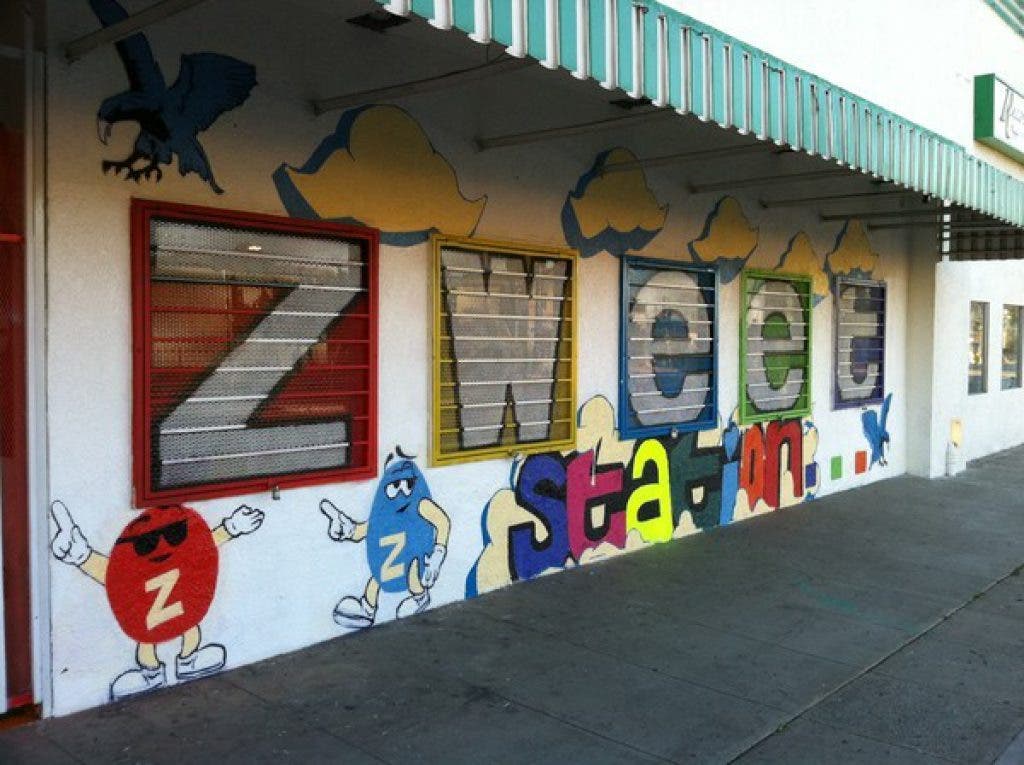
Last month, a new store in Eagle Rock had its grand opening. Located prominently on Eagle Rock Boulevard, on the northeast corner of Westdale Avenue and a short walk from Occidental College, it’s an eye-catching candy, ice cream and soda shop that specializes in vintage sodas and an assortment of candies.
The store is called Zweet Station. If you click on the blue-colored characters of the store's name in the preceding sentence, you will be transported to a page where you can see what the store looks like, what it sells—and what distinguishes it from similar stores in the neighborhood.
The page is the store’s so-called “business listing,” and it’s part of a comprehensive directory of businesses, schools and government services in Eagle Rock offered entirely free of cost by Patch to the community.
Find out what's happening in Eagle Rockfor free with the latest updates from Patch.
A-Z of Eagle Rock
The directory includes everything in Eagle Rock listed under the categories of Arts & Entertainment to Travel & Transportation. A complete list of such categories can be found on the Eagle Rock Patch Places tab at the top of any page on the site—smack in the center.
Find out what's happening in Eagle Rockfor free with the latest updates from Patch.
One of the most useful features about Patch’s business listings is that owners or managers of individual stores can sign in and “claim” their business—as Zweet Station owner Jun Alejo has done.
The accompanying video is a step-by-step guide that shows you exactly how to claim a listing, and here’s a rough outline: Underneath the photos of a particular business is a box, with the question: “Do you own or manage this location? Claim it!” Click “Claim it!” and a form pops up, asking for contact information and authorization to claim the listing.
Within a few days of submitting this form, someone from Patch will contact the business owner or manager to verify their authenticity. The owner or manager is then granted direct access to their listing via a "Manage Your Listing" button that allows them to add photos, view a variety of statistics and edit their listing.
Among the tools that you as a business owner or manager can see are:
Your Stats:
This is a business’s window to how many users have rated, reviewed or follow its listing. You can email customers to seek out more reviews, and link the listing to their Facebook and Twitter accounts.
Edit Listing:
Add photos, website information, hours of operation, contact information and more under the Basic Info tab. Some of this information cannot be changed, but you can request a new description if you think your business is inaccurately described.
Choose Extra Info to add information like the founding date of your business, what kinds of payments you accept, parking information and more.
Manage Photos & Media:
Here you can add and edit photos and choose which image is featured. If you have a video or PDFs, you would add that here.
Reviews:
You can see what people have to say about your business and respond to reviews.
Free Tools:
This is an easy way to post events and add job openings to our classifieds section, also known as the Marketplace.
Paid Tools:
You can upgrade your listing with a video profile, add a message from the owner and become a featured business on the Places page for a fee. You can learn more about these options and see how to get in touch with a sales team member.
Claim your listing today to help keep Patch users up to date with your business and keep your listing looking fresh.
Contact Patch
If you have any questions at all, don’t hesitate to contact Eagle Rock Patch Advertising Manager Edroy Grant at ed.grant@patch.com.
Get more local news delivered straight to your inbox. Sign up for free Patch newsletters and alerts.