Community Corner
How To Navigate Saratoga Library's New Tech ToolBar
Residents Receive Free Tutorials on How to Operate and Utilize Popular Electronic Devices.


News from Santa Clara County Library District:
With the increase in popularity of internet access for finding eResources, eBooks and various other eContent, hand held electronic devices remain popular electronic additions to most households. Learning how to navigate and operate many of these resources on the smaller portable devices however, is not always intuitive.
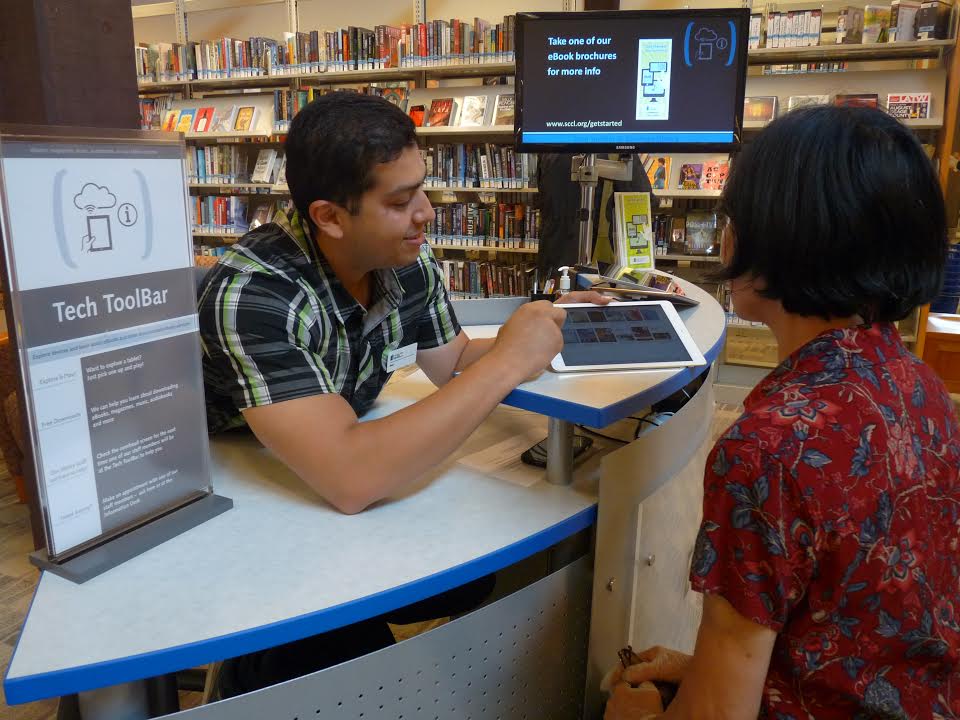
Saratoga Library understands this and the frustration often felt by new users. In an effort to help residents who may need additional assistance and guidance to successfully download information electronically (e.g. eBook, eResources or songs from a favorite artist), Saratoga Library has introduced its innovative Tech ToolBar.
Find out what's happening in Saratogafor free with the latest updates from Patch.
This new library service provides residents with an opportunity to try multiple devices currently available, learn how to utilize various features with the help of a knowledgeable librarian and practice downloading an assortment of materials. “We are very pleased to offer patrons this service. Residents using our Tech ToolBar have the opportunity to learn new skills from a knowledgeable librarian in a comfortable, stress free, quiet environment and experience first- hand how to effectively use the different electronic models.
The Tech ToolBar provides valuable practice time in learning how to download materials including free music, numerous educational tutorials and book downloads,” commented Emily Lo, Chairwoman of the Joint Powers Authority of Santa Clara County Library District and member of the Saratoga City Council.
Find out what's happening in Saratogafor free with the latest updates from Patch.
Over 90,000 eBooks and hundreds of additional eResources such as eMagazines and eAudiobooks are available to library patrons 24/7 for free. All it takes is internet access and a compatible electronic device. Individuals are encouraged to explore and play with the varied devices offered at the Tech ToolBar or they can bring in their own electronic device for a more personalized tutorial.
Currently four devices are available at the Saratoga Library:
· Apple iPad Air 2
· Samsung Galaxy Tab 10.5
· Kindle Voyage
· Microsoft Surface Pro 3
Residents may drop by the library for personalized advice on how to use these devices to download eBooks, eAudiobooks or eMagazines.
The Tech ToolBar will be staffed at the following times:
Mon: 2-4 p.m.
Tues: 2–4 p.m.
Wed: 10 a.m.– 12 p.m. and 2-4 p.m.
Thurs: 10 a.m.– 12 p.m. and 2-4 p.m.
Fri: 10 a.m. – 12 p.m. and 2-4 p.m.
Sat: 10 a.m.– 12 p.m. and 2-4 p.m.
Anyone unable to visit the library during listed staffed hours may schedule one-on-one appointments with a librarian or Tech ToolBar coach at the Saratoga Library by calling (408) 867-6126. The Tech ToolBar pilot began in 2013 at the Cupertino Library and expanded to Campbell and Los Altos this year. Saratoga Library is the fourth SCCLD location to provide this personalized service. For additional information and detailed instructions for downloading eResources go to: http://www.sccl.org/Browse/eBooks.
Get more local news delivered straight to your inbox. Sign up for free Patch newsletters and alerts.