Crime & Safety
Bedford Police Warn Residents Of New Snapchat Feature
"Snap Map" allows users to view the locations of friends while they are active on the app. Here's how to disable the feature.


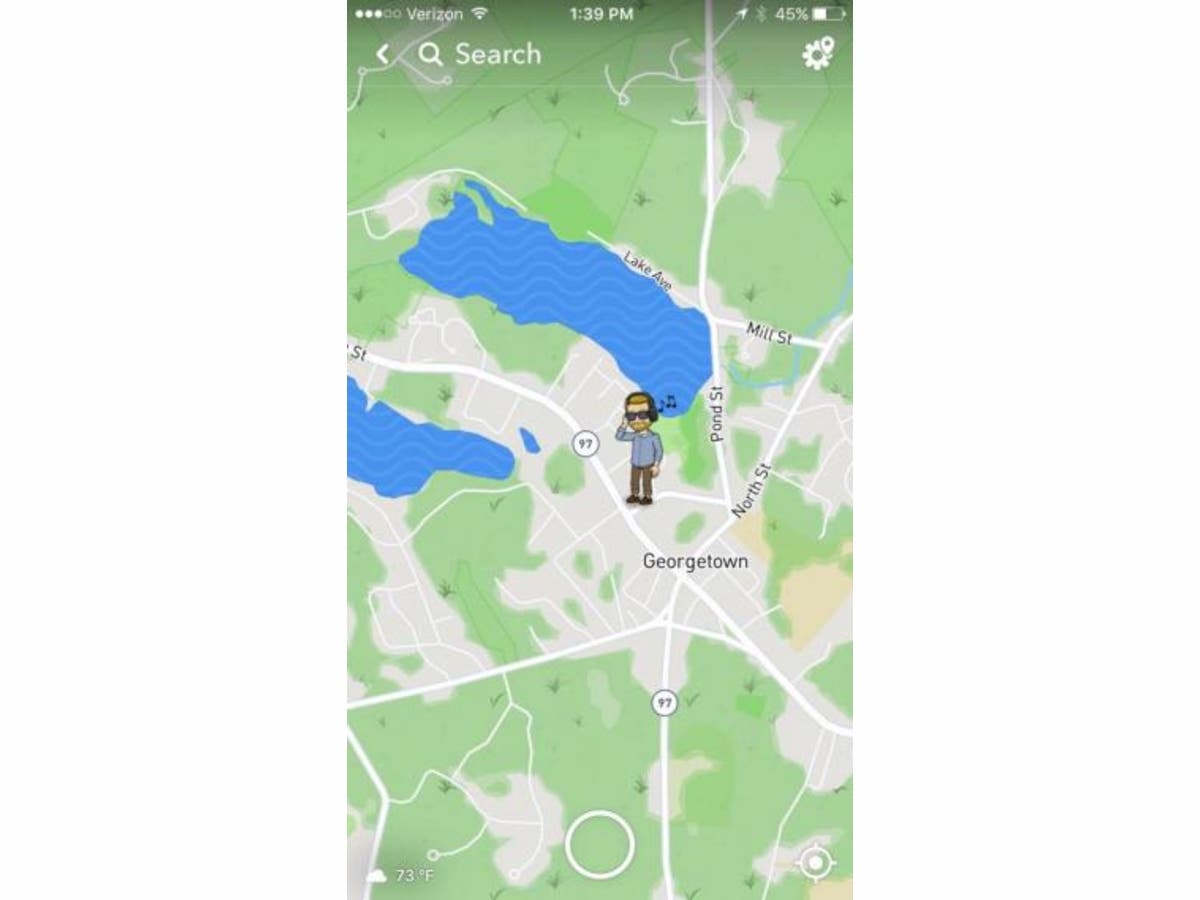
BEDFORD, MA – The Bedford Police Department this week cautioned residents about the "Snap Map," a feature included in the latest update of Snapchat. "Snap Map" allows users, including children, to share their location with others on the app.
Users may view the locations of their Snapchat friends while they are active on the app. The feature also includes the ability for users to share photos and videos publicly, even if their profiles are otherwise private.
"The Snap Map feature is obviously concerning to us because of the potential it has to jeopardize the safety and privacy of kids who use the app," Chief Robert Bongiorno said in a release. "Disabling this feature is a logical precaution that parents should take on behalf of their children."
Find out what's happening in Bedfordfor free with the latest updates from Patch.
The Snap Map’s tracking capability can be disabled by activating “Ghost Mode.”
Here is how to enable “Ghost Mode” and disable pinpoint GPS tracking:
Find out what's happening in Bedfordfor free with the latest updates from Patch.
- Pinch the screen on the main camera portion of the app
- Once the map is activated, click on the icon in the upper righthand corner of the screen
- Press the slider next to the “Ghost Mode” label at the top of the menu
If left active, the "Snap Map" will pinpoint and display a user’s location whenever they are actively using the app and will also display a person’s most recent known location, the police department said.
Image via BPD
Get more local news delivered straight to your inbox. Sign up for free Patch newsletters and alerts.