Health & Fitness
Weekly Tip- Slow computer?
Weekly Update- Is my computer running slow due to lack of RAM?
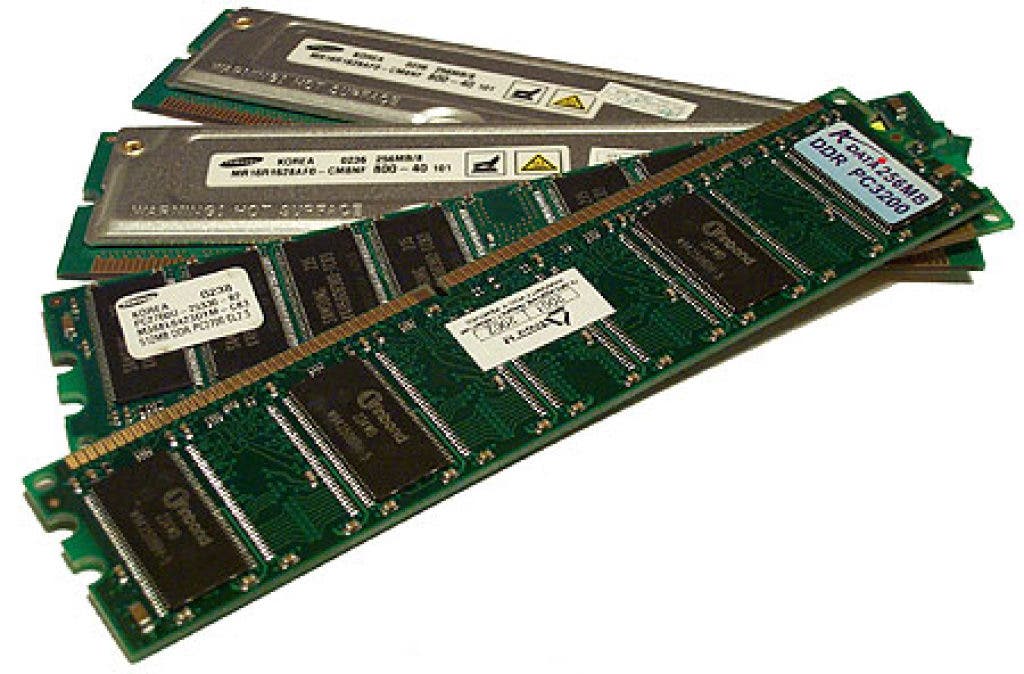
Is your computer limping along? Try upgrading the RAM!
Have you ever heard someone say that their computer is full and they need more memory? Well, they may need more memory, but hard drive space and memory are two different things! RAM is Memory (Random Access Memory).
One of the greatest allies of a Mac computer, well any computer really, is to have sufficient RAM. It controls the amount of data that is processed at once. It's basically the like the difference between traveling down an empty eight lane highway versus trotting along a one lane or even a dirt road! Adding attentional RAM can breathe new life into an old computer and possibly save you the cost of upgrading to a new machine!
How much RAM do I have?
1. Click on the , at the top left hand side of screen.
2. Select "About This Mac"
3. At this point you should be able to read something like this: Memory 8 GB. (Most machines will have between 1-4 GB of Memory/RAM but can be upgraded, depending on the model of course to anywhere from 8 to 16 gigabytes and beyond!)
4. If your computer is in the 1-2 gigabyte range you may be finding your computer to be slow... it makes sense! (Todays applications are memory hogs!!!) If this is the case depending on the model of your computer you should look into having the RAM upgraded. It is simple, cheap and can truly turn a paper weight back into a functional machine!!!
Hope this helps and see you soon!!