Neighbor News
Push 2 enhancements for Ableton Live 10 - Andy Raynor nh
Push 2 will redefine your workflow and speed up production with built-in features
Push 2 Ableton Live 10 - Andy Raynor nh
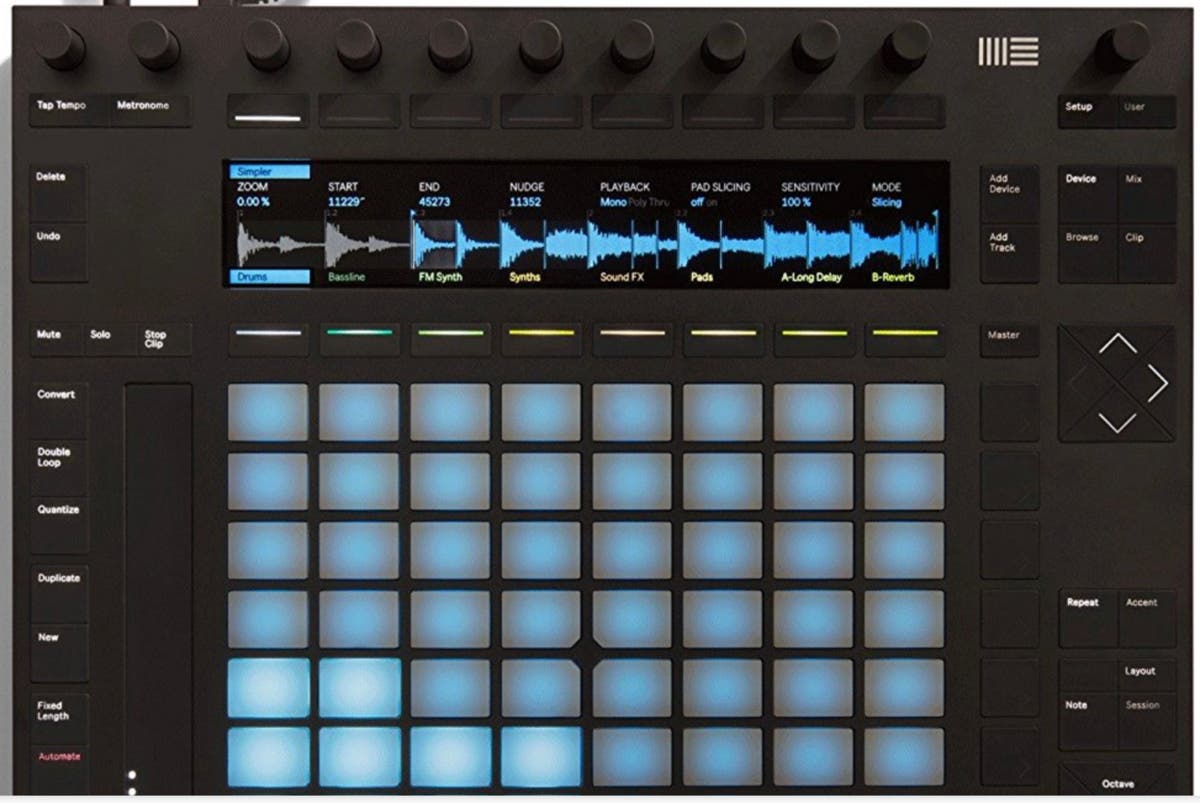
Push 2 for Ableton Live is a great way to interact with Ableton Live in a more natural way. Push 2 allows you as a producer to step outside of the computer screen. The LCD screen shows the current function you are in. You can add audio tracks, midi tracks, insert effects and automate within Push 2. Generally speaking I find that Push 2 is more helpful in session view versus arrangement view as some of the automation features are really more for clips.
The real killer feature for me is the ability to easily launch clips using the Push 2 session view. By pressing the session button each track has a clip launch that you can quantize to launch into your live performance. In this way you can essentially record the session activity into arrangement view easily and really speed up your production workflow. Andy Raynor nh
Pros
- Brightly lit LCD display
Find out what's happening in Portsmouthfor free with the latest updates from Patch.
- Intuitive workflow design
- Scale options for chords and melodies
Find out what's happening in Portsmouthfor free with the latest updates from Patch.
- Session clip launching
- Less mouse clicking
- Automation recording
- Buttons that make interacting with the software feel like hardware
Cons
- Doesn't really help in arrangement view
- Expensive
- Not really a true midi controller for other applications
I've had the Push 2 since it was released, and I've been very happy with it. I think its really helped to speed up my workflow and leverage the power of session view in Ableton Live. I would recommend this to any producer who is at least passingly familiar with the MPC's and other hardware samplers as it has many similar features to hardware samplers.
Ableton 10 offers a few upgrades for the Push 2 including - nudge features and seeing the midi on the LCD screen, a welcome improvement.

