Community Corner
Free Technology Classes
Have you seen the variety of technology classes offered at Emma Clark Library in September & October?

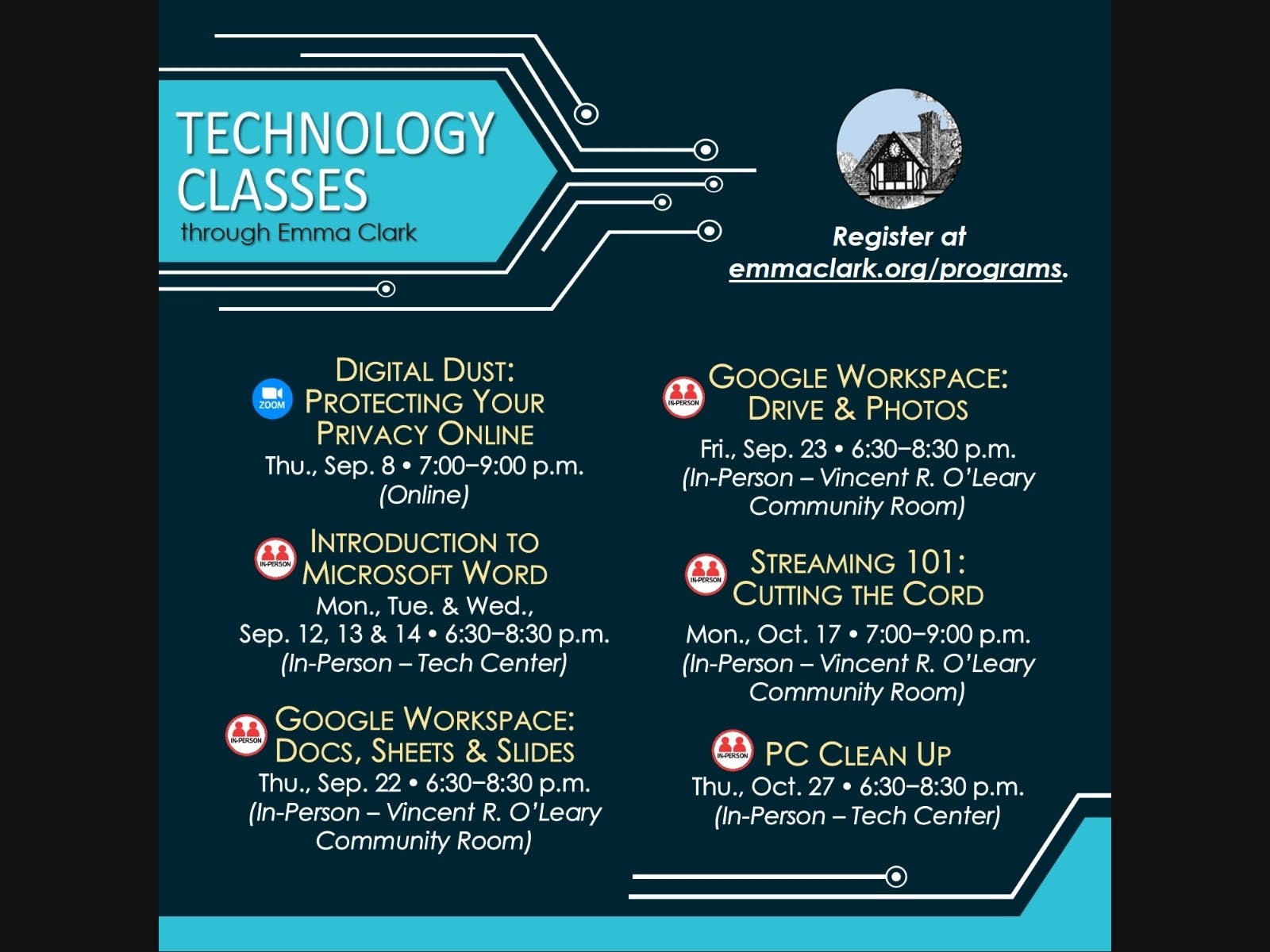
Register now for these free courses on computers and technology! Emma Clark Library offers both in-person and online classes:
Digital Dust: Protecting Your Privacy Online (Online Zoom Class)
Thursday, September 8, (7:00 - 9:00 p.m.) - These days, it seems like almost everything is being done ONLINE. We often ask ourselves how much of our private information is on the Internet and what can we do to help protect that information from falling into the wrong hands? During this discussion, we will go over some of the best practices for securing your online presence. From social media and email to online banking and the Dark Web, we will provide an overview of changes you can make to provide a safer and more secure online experience. We'll even go over trusted websites that will help you determine if your accounts have been compromised. Click here to register.
Find out what's happening in Three Villagefor free with the latest updates from Patch.
Introduction to Microsoft Word (In-Person Class)
Monday, Tuesday, & Wednesday, September 13, 14, & 15 (6:30 - 8:30 p.m.) - This three-part class introduces Microsoft Word, or “Word” as it is commonly known. This popular software application allows you to write letters and resumés, create invitations, flyers and much more! [Proficiency using a mouse required] . Click here to register.
Find out what's happening in Three Villagefor free with the latest updates from Patch.
Google WorkSpace: Docs, Sheets & Slides (In-Person Class)
Thursday, September 22 (6:30 - 8:30 pm.) - Learn how to create and share Google documents (Docs), spreadsheets (Sheets) and presentations (Slides). Access your documents online from anywhere, on any computer and collaborate online with other users in real time. Click here to register.
Google WorkSpace: Drive & Photos (In-Person Class)
Friday, September 23 (6:30 - 8:30 p.m.) - Learn how to use these FREE software applications! Google Drive is a cloud-based storage solution that allows you to save files online and access them anywhere from any smartphone, tablet or computer. Google Photos is the home for all your photos and videos, automatically organized and easy to share. All you need is a Gmail account. If you don't have a Gmail account, no worries. Just set one up before class at gmail.com -- click on "Create Account" -- and voilà, you're all set and ready for class! Click here to register.
Streaming 101: Cutting the Cord (In-Person Class)
Monday, October 17 (7:00 - 9:00 p.m.) - Learn about various streaming devices such as Amazon’s Fire Stick, Roku & Chromecast. During this webinar you will learn about the different types of streaming devices (hardware) and apps (software) that offer the type of programming that best fits your needs. Learn how you can save time and money by cutting the cord and streaming only the content that you and your family are most interested in. Click here to register.
PC Clean Up (In-Person Class)
Thursday, October 27 (6:30 - 8:30 p.m.) - Have a PC laptop at home? Bring it with you and learn how to clean and speed it up. We will also cover how to protect it from malware & spyware and more. Have a desktop at home? Come and learn on ours! Proficiency using a mouse required. Click here to register.
Questions? Email askus@emmaclark.org