Health & Fitness
Adventures in Computer Training #3
Learning to use assistive technology is not so easy. The key is to stay calm and keep on trying.
Once again, I returned to the Cleveland Sight Center for another training session. My trainer is blind and has a Seeing-Eye dog. Before we started our work, I got to meet Butch. He's a big German Shepherd who likes to lick people. I couldn't help but enjoy that.
We began with a quiz over the JAWS functions of the number pad. I still had to visualize the calculator set-up before I could answer. However I did get them all correct. On that positive note, we started something new.
My trainer created a Word document with many mistakes. I had to insert, delete and highlight words. It wasn't as easy as it sounds. I managed insert, but delete and highlight were giving me grief.
Find out what's happening in Kentfor free with the latest updates from Patch.
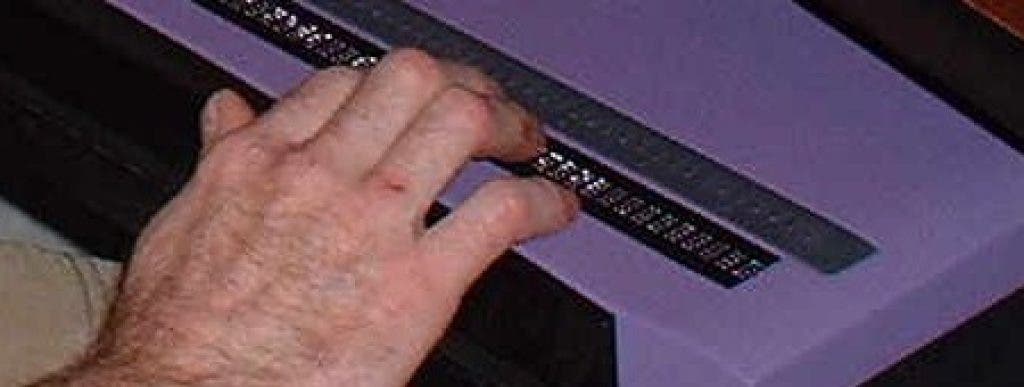
It's important to understand that the keyboard on my Braillenote is much smaller than a standard Windows keyboard. There are five rows of 14 keys. It doesn't have function keys or caps lock or a calculator pad or the "six pack" of keys. The shift keys and arrow keys are in different places. The Braillenote has a few keys that are unique to the machine. I warned my trainer that adjusting to a Windows keyboard would be a challenge.
First, I couldn't even find the delete key. Aren't there a bunch of keys that delete? I was looking for back space, like on my Braillenote. After a bit of frustration, my trainer told me I needed to use the delete key on the number pad. It's to the right of zero.
Find out what's happening in Kentfor free with the latest updates from Patch.
Highlighting was even worse. I tried about ten times to highlight the word "cow." It just wouldn't work. Yes, I understood I needed to press control, shift and the right arrow key together. Nothing happened.
My trainer gave it a try, and it worked for him. He told me to keep working at it. I was stuck on something so simple. I didn't want to try again. It wouldn't work!
It was one of my interpreters who discovered the problem. I was pressing the caps lock instead of shift. Darn that keyboard! My trainer promised that he would mark the shift keys before my next session.
Once I could highlight a word, he showed me the commands to highlight lines, paragraphs and the whole document. I got off track again. The command was to highlight a line from where the cursor was to the next line, stopping under the location of the cursor. That's a little hard to put into words. I actually understood, but when I repeated it back, he said, "no." He explained this many different ways. Nothing made sense to me.
Again, interpreter to the rescue! She mapped it out on my hand, and I was able to "see" what the command did. I was right the first time. The confusion had to do with describing it in words.
I have no doubt that a blind trainer can successfully teach me how to use a computer. Yet, it's crucial to have my two interpreters there. I'm not blind. I'm deaf-blind. The interpreters help bridge the communication gap. Sometimes they can explain things in a way that a deaf person will best understand.
My trainer told me to practice these new commands for my homework. Uh-Oh... I don't even know how to turn my computer on and off yet. Well, I said that I did remember how to start the computer and get into Word. My trainer just had to take me through shutting down. As he did this, I realized the commands were different. I am used to Windows XP. My new computer uses Windows 7.
I asked if starting up is the same as with my old computer. He indicated that it is not, but my driver arrived at that moment. I never found out how to start the computer and create a Word document. How am I supposed to do my homework? It's a moot point, because my father still has not set up the computer. I'm feeling nervous about my next training session.