Neighbor News
Practical Cybersecurity: Where you fit in the BIG picture
Cybersecurity is a serious risk. This presentation provides a big picture introduction to cybersecurity for users.

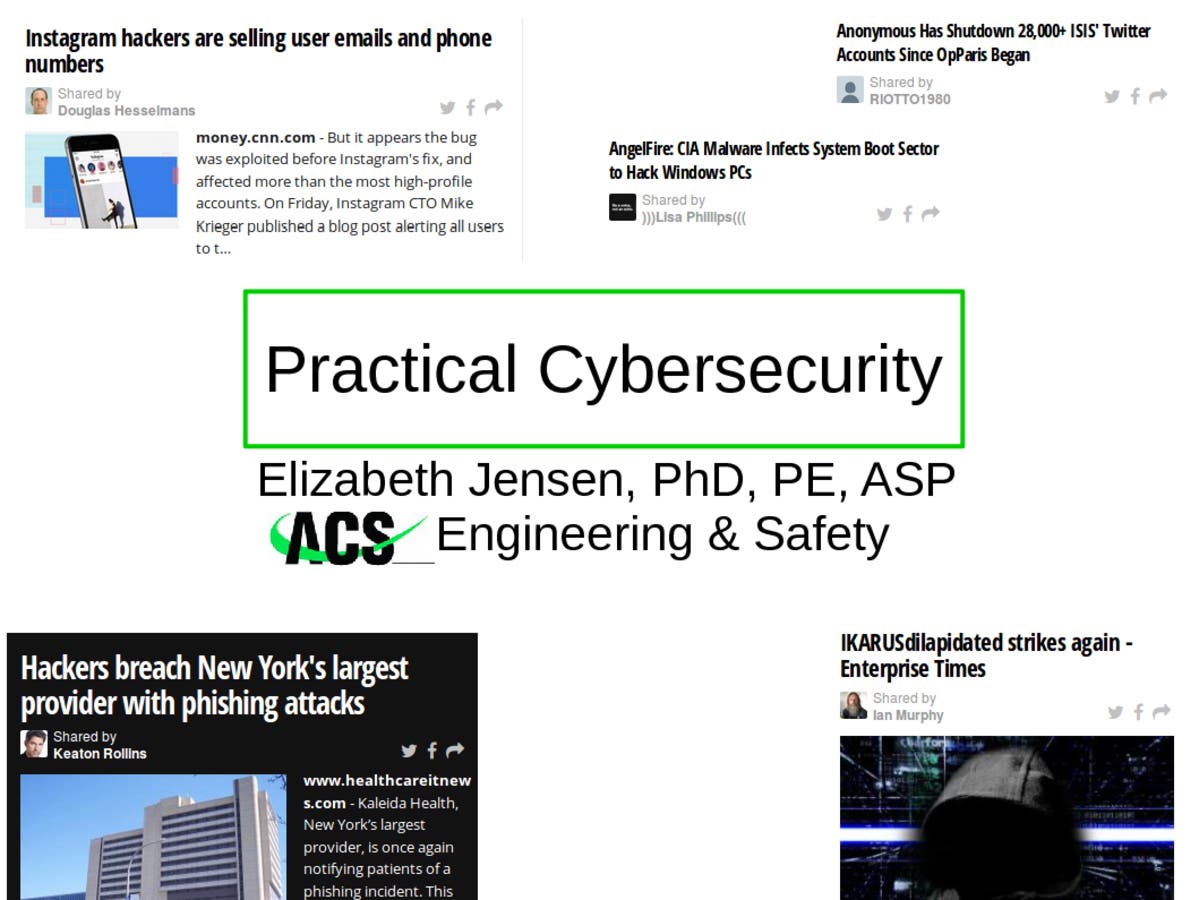
We've all seen the headlines: Equifax, Yahoo, US Govt Office of Personnel Management, Ashley Madison...detailed information on people stolen [1]. Then there's Petya, WannaCry, SamSam, Eternal Blue, etc. There's an almost infinite variety of malware constantly being deployed.
Welcome to the Internet of the 21st Century
This is a presentation I gave to the American Society of Safety Engineers Energy Corridor meeting (Update: my ASP credentials are now CSP, which is a Certified Safety Professional). Note the information contained in here is what I understood from taking Certified Ethical Hacker (CEH) classes. I am not a CEH. This means there may be errors in this article, and I reserve the right to correct them. Here is what I believe users should know as they connect to the internet...
Find out what's happening in Houstonfor free with the latest updates from Patch.
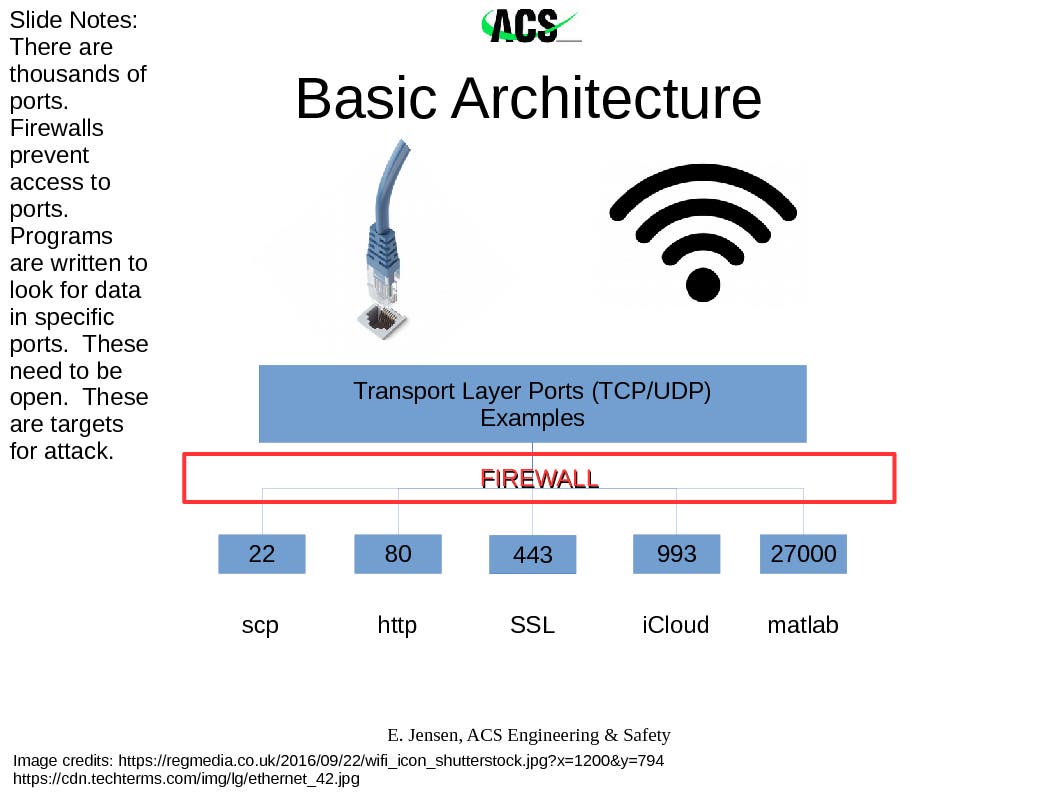
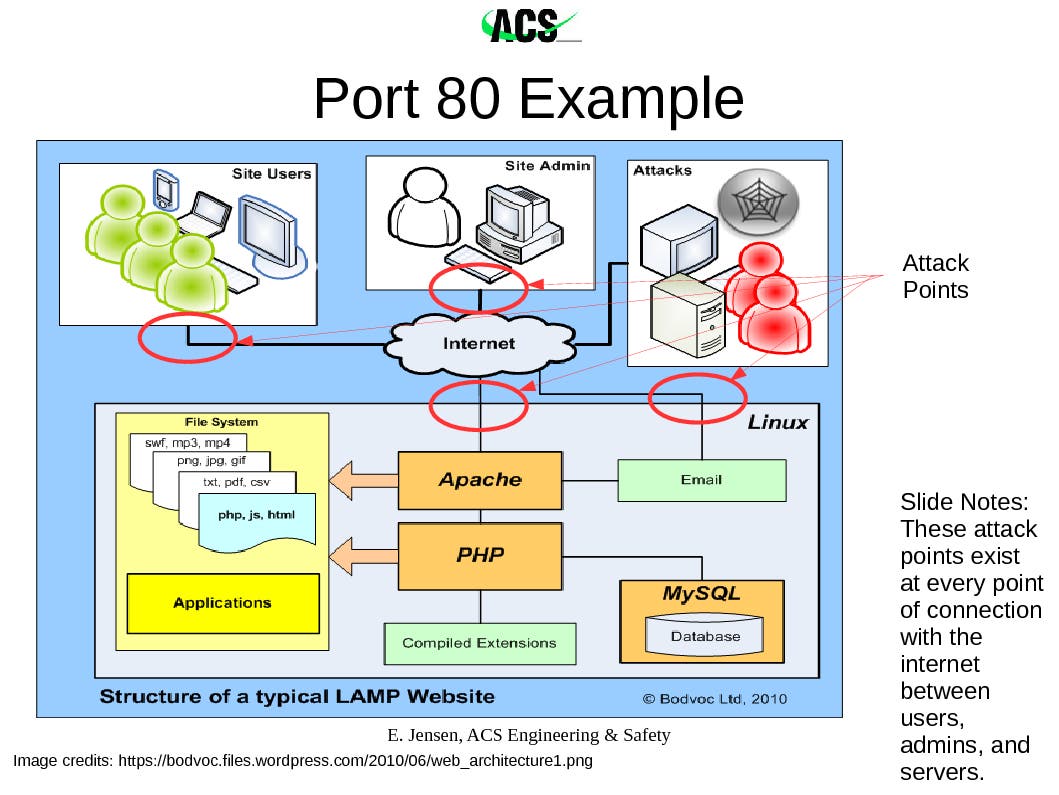
When you connect a computer to an ethernet cable or to a wifi, the data stream is carefully structured in order to be processed properly. When you connect to the internet using "http" for example, a data stream from the website you're visiting comes via an electrical signal to your computer. How does your computer know what to do with it? To begin with, your web browser was programmed to look in a specific place for those data packets in the stream that it's supposed to show you. This is port 80. Above, I've listed several of the ports that I use the most often. While the term "port" implies a specific docking location in the hard drive, a better way of thinking of it is as the radio frequency on which the application is tuning into for its specific information. This assigned port can be switched around. However, because it's a standard for consistency that almost all http websites send data packets to talk through your machine's port 80 to start the connection, this port is almost always listening.
Why does knowing the port system matter? Because that's one of the main targets for hackers to initiate an attack. There's multiple flavors of a relatively benign code that can scan a computer's ports looking for which ones are open and listening (accepting data packets). This is one avenue used to begin hacking. While discussing http earlier, I said "almost always" deliberately, because scrambling this port assignment from standard assignments increases privacy and security. A cursory scan will not find the open port, but depending on the commitment of the hacker to get into a system, the port still could be discovered by a more time-consuming complete scan.
Find out what's happening in Houstonfor free with the latest updates from Patch.
Enter the firewall. The purpose of the firewall is to protect the ports. When well configured, it refuses to respond to port scans and inspects the data coming into the computer (as well as transmitted from the computer) for certain characteristics that indicate the data packets are less-than-friendly. So what exactly comprises a "data packet"?
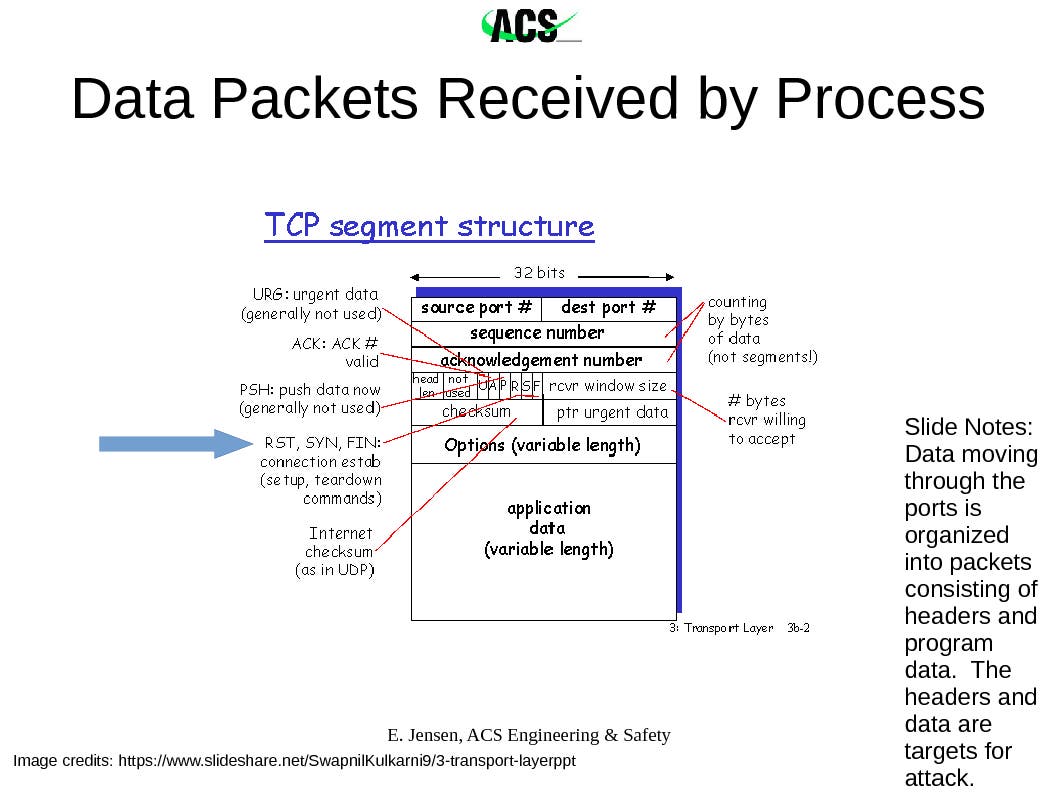
Each chunk of data, such as the kilobytes that make up an image, gets broken down into smaller chunks for transmission. The overall purpose of this is because the loss or corruption of one packet simply tells the sender to resend it while all the other packets are unpacked and reassembled. In the ports presentation slide above, you saw the terms "tcp" and "udp". These are accepted formats for organizing the data bits in a packet. The slide above shows the tcp structure. I've added an arrow to the connection commands, RST/SYN/FIN. This is because hackers will use software to create their own packets, and one approach is to manipulate the connection commands in order to befuddle the target computer into leaving open a data stream, to communicate information on its operating system, and to accept hostile packets. While the firewall should interrupt this type of attack, we aren't always working behind a firewall, and the firewall can be bypassed.
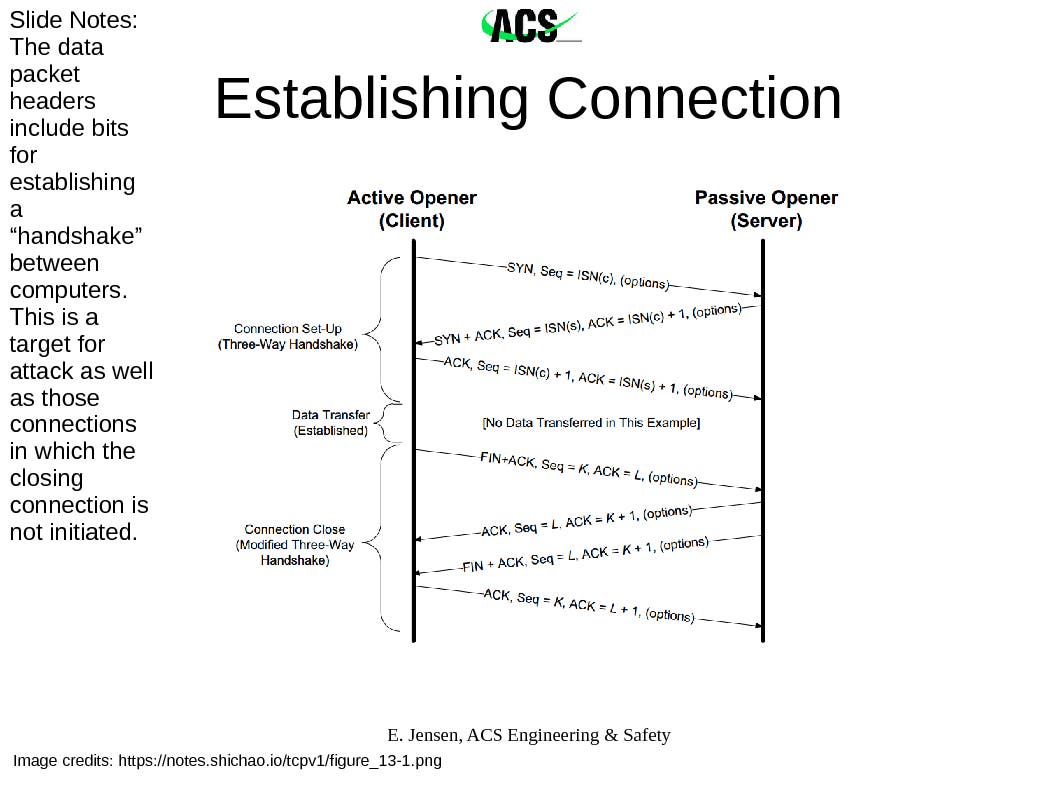
The takeaway point is that every connection between your machine and another in the internet is a potential route of attack, through every port on your machine and via manipulation of a few packets among trillions.
Then there's the mid layer attacks that manipulate vulnerabilities within applications. For example, the Equifax hack came through their Apache webserver's software, which they had failed to patch. Every application running on your machine is a potential vulnerability. Also, it's not just the applications themselves, but how they connect together as well. Every application connecting to the internet and applications connected to applications connected to the internet are potential routes for hacking.
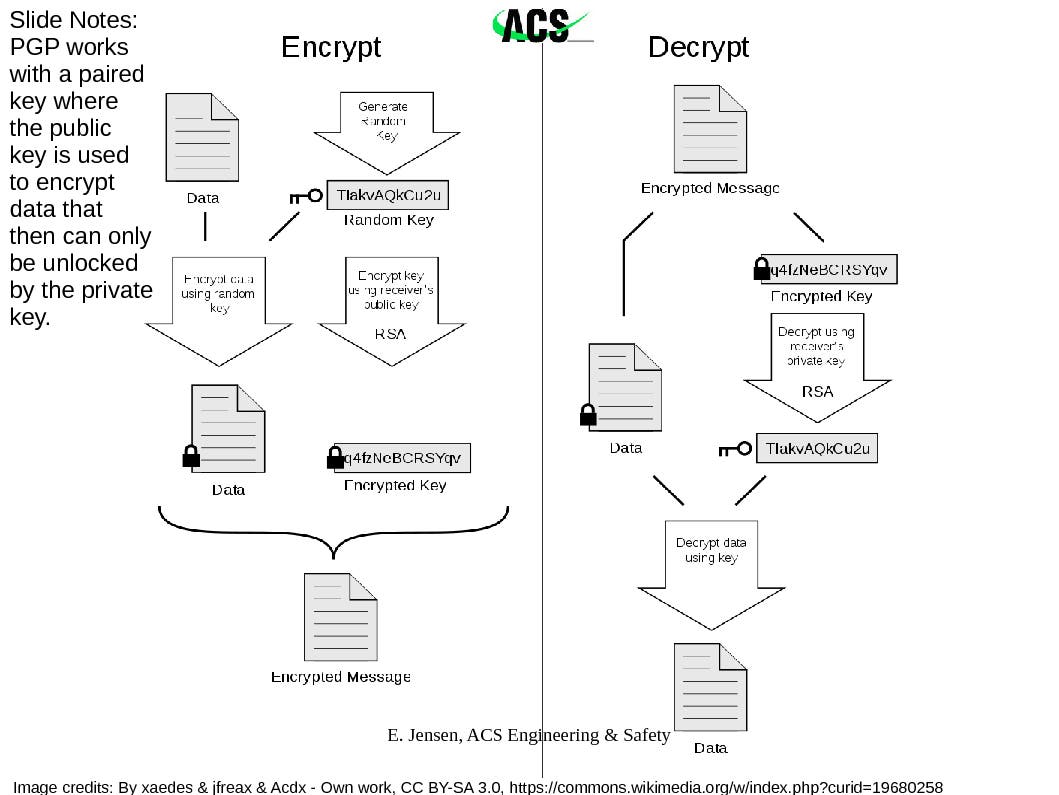
One way of addressing the problem of potential attack at every connection point is to scramble the data. This involves encrypting it so that only approved machines with the key code can transmit and receive acceptable data. When you look into your browser window at the website address where you're currently reading this article, it should read "https". The 's' on the end means that the information passing between it and your computer is encrypted. Although your ISP may be collecting the information that you have visited the website, patch.com, it doesn't know how you're interacting with it.
This next point is important. When you are working on an open network, whether it is at the library, your hotel, the coffeeshop, etc., YOU ARE VULNERABLE.
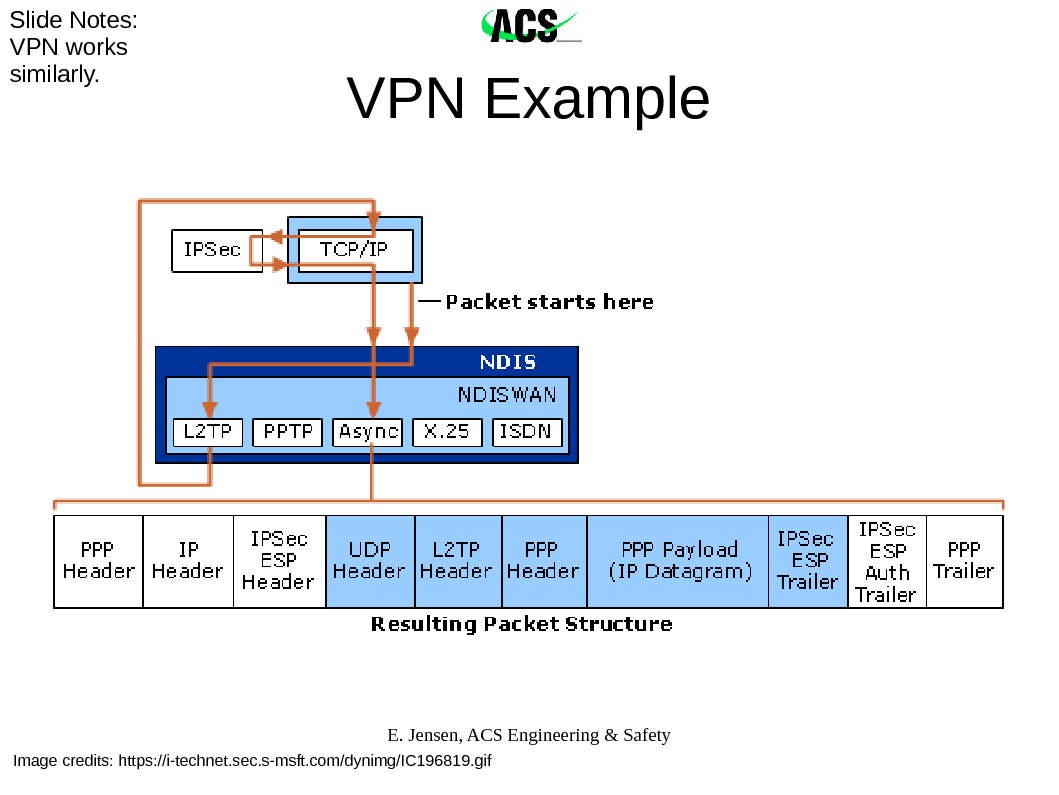
As I explain encryption further, you'll see that many applications automatically encrypt their connections; however, not all do. Similar to a dike against flooding being only as strong as its weakest point, your computer security is only as strong as your weakest application connecting to the internet. The VPN serves as the solution to this problem. When set up and connected, the VPN encrypts all data passing between your computer and the VPN server. This includes the local connection point that you're using to reach the VPN server and the data from the wider internet being passed through the server to your computer. The encryption is only between the server and your computer, not beyond. Word of warning: not all VPN services are the same. When selecting one, you need to consider your needs and the fact that the VPN server itself may be keeping track of your location and the sites that you visit.
Encryption
The way encryption works is through public and private keys. There are several techniques for encryption, and the one displayed below is specifically for PGP. Imagine you have a special mailbox that requires two keys. There's the public one, on the outside, that everyone uses in order to open the door to reach the slot where they can deposit the mail specifically for you. Once they've dropped off the mail, no one but you has the key to the inner box in order to reach the letter and read it. You have the private key. So the stages of encryption are: use your receiver's public key to encrypt the file, then mail it. If you are the receiver of the encrypted file, you then use your private key to decode the file. In the case of https, a different method uses encryption certificates authorized by a Certificate Authority. (Side note here: Equifax also acts as a Certificate Authority. There was no mention of this aspect of its business relative to the hack.) As experts will tell you, encryption doesn't fix everything. It's not uncommon for fake public keys to be posted in order to compromise the flow of information to a target, and of course, encryption is only as good as the security within both your machine and the one it's connecting to.
VPN Encryption
VPN encryption essentially sticks each data packet into an encrypted mailbox on one end and opens it up at the other. An illustration of how this is done using IPsec/L2TP (instead of PGP encryption) on an UDP (instead of TCP) packet is shown below:
Antivirus/Anti-malware
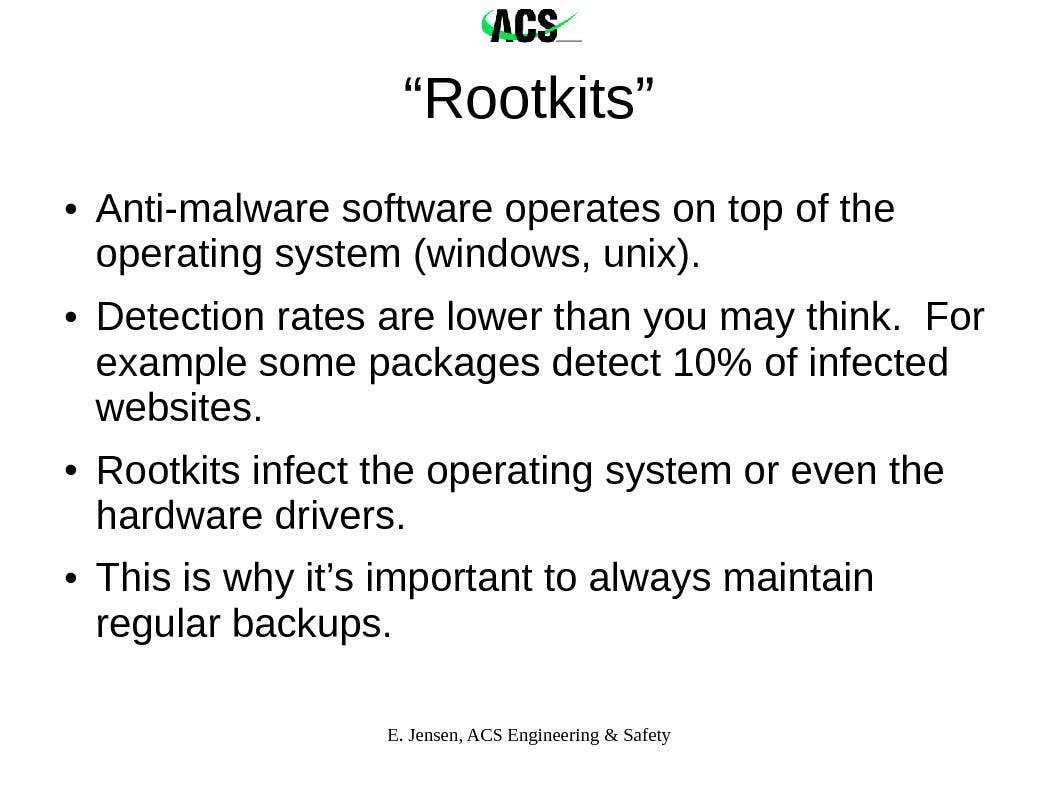
Objective measurements of the effectiveness of current popular antivirus/anti-malware programs are almost impossible to obtain, but studies agree that none of the programs offer complete coverage. A growing trend in hacking is to slip below the mid-to-top level applications, where the antivirus/anti-malware software operates, and fundamentally alter the drivers on which the operating system runs when delivering instructions to the computer hardware. The popular name for these codes are rootkits. Currently there is no way to eliminate rootkits from the system if the malware has reached this level. Some special anti-rootkit packages can collect an image of how your clean drive looks and then can detect changes; however, the utility of these programs is not clear.
Social "Engineering"
Every generation gets a hacker movie. And as most writers have to work within limits in order to keep their audience engaged, they inadvertently raise our awareness of the most effective tool used by hackers: social engineering. In War Games, Mathew Broderick's character calls Sunnyvale, CA's telephone company asking for the prefixes that cover his target's area as he starts pinging through the numbers searching for a computer modem to pick up the call. Later, he dupes a soldier into giving him the code to the room he's been locked into. In Hackers, Jonny Miller's character calls up his target pretending to be an employee of the company.
In a previous post, I discussed at length the social engineering attacks that I was experiencing on a small organization that I manage [2]. My consulting business, ACS Engineering & Safety, has also been targeted but less intensely. For example, an email arrived that earned my "That's So EVIL!" award. Around the December last year, a malicious sender took a series of extraordinary steps to conceal a malware file. Using all the appropriate links and similar structure to a major credit card company, the email that appeared to be from a valid sender contained the warning of a security threat. It included instructions to open an attached "html" file for more information. As this was not the credit card's usual nature of communication, I started studying the email. HTML is written in text. You can look at the characters and read them. When attached to an email, my email program will go ahead and read the text that was in the file while waiting for permission to load any data that was linked rather than sent. The attached file was identified as a document, but it had been converted from binary to text. This was a red flag. If you attach a file to an email that is not plain text, contains binary information for an application or is an application itself, the binary is converted to text for attaching to the email. On receipt, most email programs wait for the user to tell them to convert the file back to its original form for saving on their machine. Whatever file I had been sent, it most definitely was not html.
Summary
The point of this article is to explain how hacking works without getting lost in the details. Simple trainings are available on how to safely work on the internet, but they don't explain why those techniques work and why they keep changing. There are excellent news services, both amateur and expert, that keep specialists aware of the constantly changing playing field of the internet. This article is written to help you get the background you need to understand what they're assuming you already know. If you are involved in an activity involving our infrastructure, you need to know. Right now essential systems for civilians are being probed for possible sabotage by both adversaries and frienemies [3,4]. The slides from this presentation are available for downloading; acknowledgment of all authors/contributors is required [5].
References
[1] https://www.csoonline.com/arti...
[2] https://patch.com/texas/housto...
[3] http://time.com/4270728/iran-c...