Neighbor News
An Introduction To Assistive Technology For Learning
Assistive technology (AT) can be an easy and effective accommodation to aide students in working around their learning challenges.
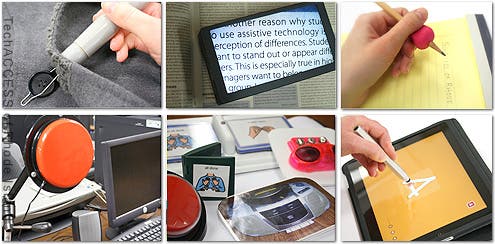
Students with learning and attention challenges often find that using assistive technology helps them to focus and/or boost their learning. Assistive technology (AT) can be an easy and effective accommodation to aide students in working around their challenges.
The Basics
Assistive technology is any device, piece of equipment or system that helps students use their strengths while working around their challenges. AT ranges from simple, adaptive tools (like highlighters and organizers) to high-tech tools (like text-to-speech software).
Some Examples Of AT
Find out what's happening in Menlo Park-Athertonfor free with the latest updates from Patch.
Audio players and recorders
Smartphones and tablets come with text-to-speech software that can read aloud anything on the screen. If taking notes is a struggle, recording the teacher’s lesson allows students to the ability to listen to it again at home.
Find out what's happening in Menlo Park-Athertonfor free with the latest updates from Patch.
Timers
Wrist watches, or hour-glass timers can be used with students who have difficulty with transitions, pacing or to show how much time is left on an activity. Timers allow students to mentally prepare for the next activity.
Reading Guides
Students who have trouble tracking or staying focused on a page can use the plastic strip to highlight one line of text while blocking out the rest of the page.
Seat Cushions
Trouble with attention and staying seated? Inflated seat cushions can provide enough movement to occupy a child with sensory processing deficits.
FM Listening Systems
Frequency modulation (FM) systems can reduce background noise and amplify what the teacher is saying.
Calculators
There is large-display calculators, talking calculators, even calculators with built in speech output.
Writing Supports
From pencil grips, to weighted pens, to word prediction software, to speech-recognition software to spell checkers all can provide support depending on the student’s need.
Graphic Organizers
Organizers can be as low-tech as a printed web, or more advanced like organizing programs that help map out thoughts.
Key Points
- Assistive technology can help kids with learning and attention issues work around their challenges.
- Not all types of assistive technology are high-tech.
- Choosing the right tools can help your child become a more confident and independent student.
How Do I Choose The Right AT For My Child?
Are you searching for the right assistive technology (AT) for your child? Here’s a checklist to help you decide whether a device or tool is going to work well for your child.
Questions To Ask About Assistive Technology
- Does this tool address your child’s specific needs and challenges?
- Does it use your child’s strengths?
- Is there a simpler tool that would work as effectively?
- Will it be easy to incorporate into everyday life?
- Is it portable?
- Is your child willing to use it?
- Is your child able to use it? (Have her try a demo.)
- How easy is it to learn to use the tool?
- Will you have support or training in how it works, even if it’s only used at school?
- Will teachers have support or training in how it works?
- Is the tool compatible with the existing technology your child uses? (For example, will the software work on your child’s mobile device or a school computer?)
- How reliable is the device?
- What technical support is available?
- If the tool is purchased for school use only, do you have access to a comparable tool that your child can use at home?
Apps For Kids With Learning And Attention Issues
Here are some samples of specific apps we have found useful when working with students:
ModMath – work on math problems without using a pencil.
Ages: grade school, middle school, high school
Issues addressed: Math, writing, motor skills
Voice Dream Reader – allows students to highlight text and have it read aloud to them.
Ages: grade school, middle school, high school
Issues addressed: Reading
Toca Nature – all Toca Boca apps feature open-ended, creative exploration
Ages: pre-school, grade school
Issues addressed: organization, planning and time management
Stop, Breathe, Think – uses guided mediation to help older kids de-stress, get in touch with their feelings and practice compassion
Ages: grade school, middle school, high school
Issues addressed: All
If…..The Emotional IQ Game – an adventure game that helps kids with emotional and social issues
Ages: grade school, middle school
Issues addressed: Social skills
First Then Visual Schedule HD – create schedules that combine images, texts, sound, and even video, to make following a schedule fun.
Ages: grade school, middle school
Issues addressed: attention, reading, visual processing and organizing, planning and time management
News-o-matic – ad-free newspaper app gives readers five stories every day.
Ages: grade school
Issues addressed: reading and listening comprehension
Dyslexia Toolkit – a suite of tools for dyslexic people created by people with dyslexia
Ages: middle school, high school
Issues addressed: Reading and writing
“Like” QWERTY on Facebook