Business & Tech
Recycle Your Computer Without Recycling Your Personal Information
By taking the appropriate steps, you can ensure that your personal information will remain safe when you recycle your computer.


If you're considering recycling your own computer, you must take certain measures to protect yourself from stolen information. Even if you’ve used the restore disc that came with your computer to set it back to factory defaults, there may still be sensitive data on your hard drive.
Your hard drive is going to pass through a lot of hands after it leaves your care, and that means there are a lot of opportunities for someone to get a hold of your personal information. Fortunately, there are a few precautions you can take to ensure that your personal data stays personal.
Using the restore disc to return your computer to factory defaults doesn’t effectively remove data from your hard drive. Your hard drive is like a book – it contains a table of contents and “chapters.”
Find out what's happening in Powayfor free with the latest updates from Patch.
When you delete a file, or use the restore disc to wipe the entire operating system, you’re just deleting the table of contents, not the actual chapter. In those cases, all you’ve done is tell the computer that it’s OK to write new data where those chapters are – you haven’t actually removed the old data.
The only way to permanently remove data from a hard drive is to overwrite that data multiple times. If you only overwrite it once or twice, the data can still be recovered with the right data recovery software, so it’s important to overwrite the data at least three times.
Find out what's happening in Powayfor free with the latest updates from Patch.
Fortunately, there’s a simple way to wipe your computer’s hard drive, and overwrite the data as many times as you’d like. Derik’s Boot and Nuke, or DBAN, is a tool designed to securely erase the data on any hard drive, making it all but impossible to retrieve any personal data from it.
Just burn the software to a blank CD or DVD, and reboot your computer with the disc in your CD or DVD drive. The computer should boot straight into DBAN, and from there, you’re just a few clicks away from a secure hard drive.
DBAN deletes all of the data on the drive, and then overwrites the drive with random numbers three times, ensuring that your data is gone forever.
If you prefer not to take any chances with your personal data, there are a couple additional measures you may want to take. Wiping the drive with DBAN is a great start, but if you want to be absolutely certain that your data is safe, you may want to physically damage the hard drive as well.
Getting the hard drive out of the computer doesn’t require a lot of effort, or a lot of technical know-how. Most computers have a side panel that will slide out of place once you’ve removed two screws.
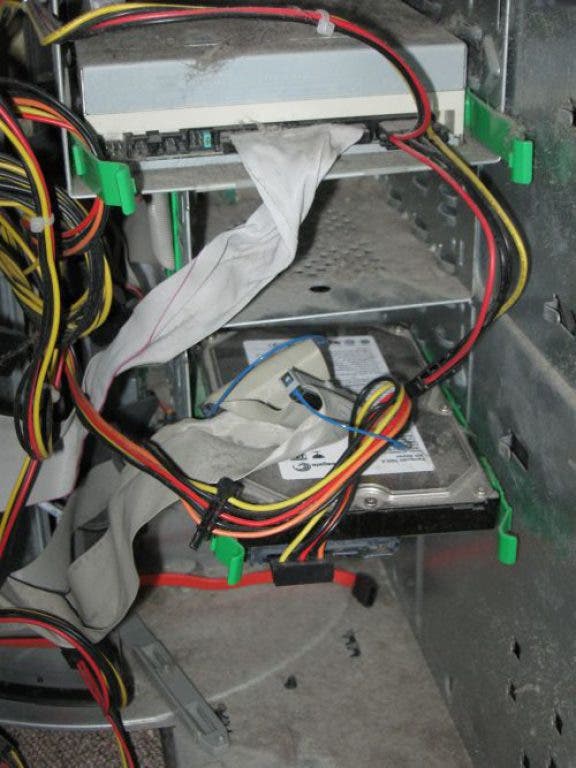
Toward the front of the computer, you’ll see the DVD drive, as well as the floppy drive. Underneath both of those will be a drive with a silver top that isn’t accessible in any way from the outside of the computer – that’s your hard drive.
Unplug the wires from the back of it, remove any screws that may be holding it in place, and remove it from the computer. Place the hard drive on a sturdy flat surface, and give the silver top side a few good whacks with a hammer.
Inside of that hard drive lies a fragile platter on which data is stored. A few solid strikes from a hammer should be enough to damage that platter, and significantly reduce the odds that any data can be recovered from that drive.
If you’re not comfortable bashing the hard drive with a hammer, you might want to consider hanging on to it. Hard drives are fairly small, and you could easily fit between five and ten of them in a shoebox. By keeping your hard drive in your possession, you can completely eliminate the risk that someone else will get their hands on your personal information.
Don’t let your personal information get recycled along with your computer. By taking these simple steps, you can keep your data safe when recycling your computer.