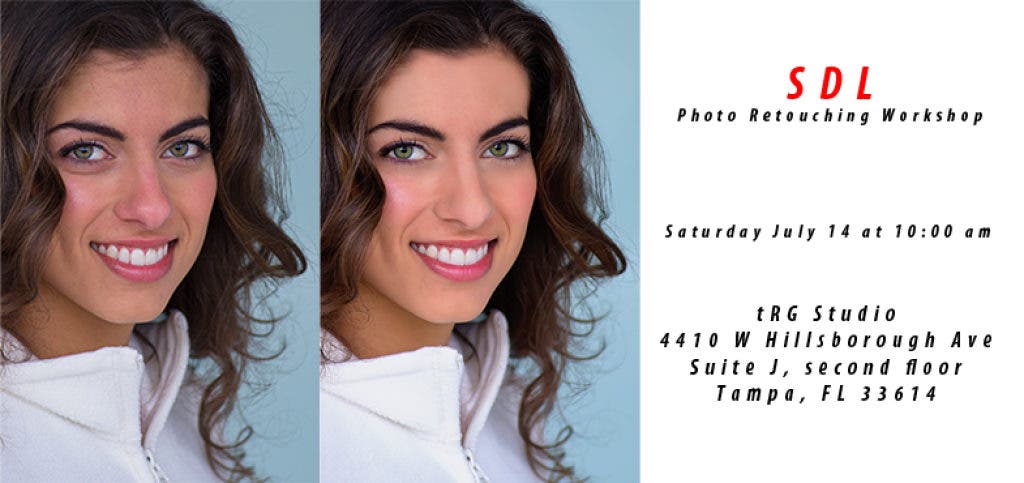
Photoshop is a photographer’s best friend and retouching in Photoshop is a skill that can benefit all photographers.
Improving your retouching skills will certainly help your images stand out. Robert Rostick and Jim Sykes, commercial photographers, will unveil digital retouching techniques to guide you toward producing high end images.
Learn the step-by-step process of using Adobe Photoshop® retouching techniques to transform and prepare images. Work directly with a model on set. You will learn how to retouch and maintain natural skin, hair and hands and reshape the body.
Find out what's happening in Carrollwood-Northdalefor free with the latest updates from Patch.
Registration takes places through Friday, July 13th. Workshop takes places Saturday, July 14th.
WORKSHOP OUTLINE
Find out what's happening in Carrollwood-Northdalefor free with the latest updates from Patch.
Since you will be shooting with a model on site during the workshop, images will be available for you to work on so that everyone is retouching the same subject and can see the desired results.
While there will be open discussion as well as Q&A during the entire workshop, specific topics will be addressed:
- Learning the fine line between good retouching techniques and pushing it too far
- Learn how to process a Raw file
- Learn the correct way to use specific tools in Photoshop
- Exposure and color correction
- Skin smoothing and texture preservation
- Eye Whitening
- Teeth Whitening
- Body contouring and restructuring
- Toning and Shadow/Highlights
- Techniques for the removal of spots/blemishes
REQUIREMENTS
Attendees need to bring their own laptop computer (Mac or PC operating system) with Adobe PhotoShop (CS2 or later) or Adobe PhotoShop Elements. If you are without a laptop, SDL will be demonstrating the techniques on a projector screen and you can take notes.
Basic Photoshop skills required.