Health & Fitness
Blog: Using LinkedIn to Effectively Connect with Companies, Clients, and Colleagues
LinkedIn (http://www.linkedin.com) is a popular social networking site among business professionals, sales people and recruiters. Read on for tips on using it effectively...
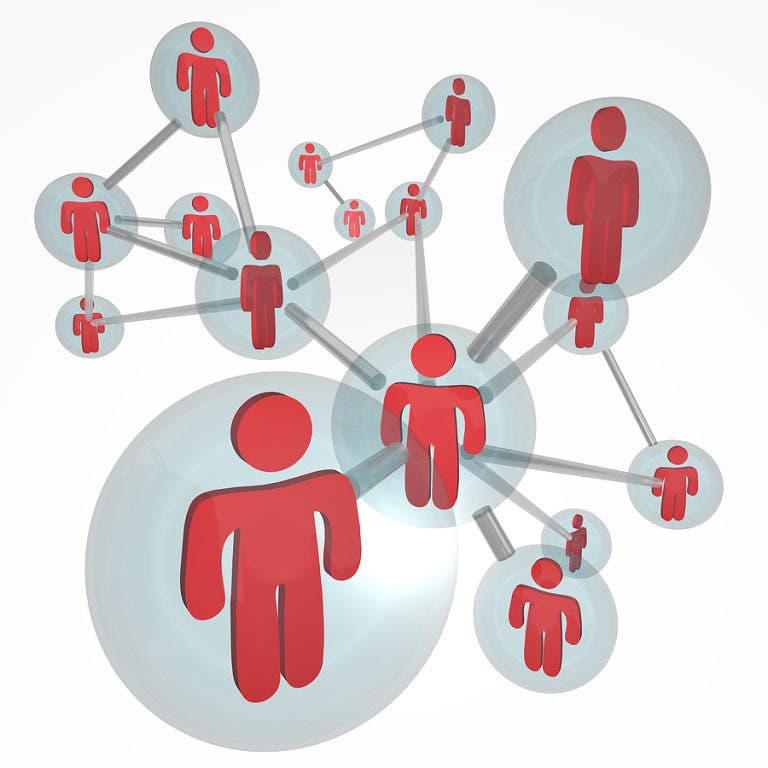
LinkedIn(http://www.linkedin.com) is a popular social networking site among business professionals, sales people and recruiters. Its use has grown tremendously since it went live in May of 2003. LinkedIn currently has about 100 million users logging in at least weekly to share information, learn new skills and reach out to potential clients.
What is especially attractive about LinkedIn and vastly different from other social media sites, is how LinkedIn uses the personal data and usage habits of its users. While most social media sites use this info to target advertising and develop new ways to generate revenue for themselves, LinkedIn uses our information and feedback from us to enhance the site for our benefit.
For instance, LinkedIn has added a more interactive skills section to help those looking for and trying to fill jobs. The company page section has options to add specific services and products, specific contact info and even video. These changes were added as a result of analyzing our usage habits, feedback and requests.
Find out what's happening in Westminsterfor free with the latest updates from Patch.
For many of us, using LinkedIn effectively has been the result of trial and error over many months or even years. Then suddenly everything clicks and we begin to see a return on our LinkedIn time investment.
Here are some tips to get you started using LinkedIn effectively, productively and professionally.
Find out what's happening in Westminsterfor free with the latest updates from Patch.
Create a Complete Profile
Your profile is basically an online resume and it should be as complete as possible. That means including current and past pertinent employment, education (skip high school unless it was a prestigious private school), contact info, summary and specialties.
Use industry keywords and phrases throughout so that those looking for special skills will be able to find you easily. Avoid large paragraphs which are difficult to read on a computer screen; lots of white space and bulleted lists help your information stand out.
Also, the ‘interests’ section should be industry related, not personal. For instance, listing an interest in writing apps for mobile phones or researching marketing trends would work, but listing collecting porcelain cat figurines would not.
Similarly, keep the Reading List section industry or business related as well. Listing “Good to Great” by Jim Collins works, listing “Lovers & Players” by Jackie Collins does not.
Customize Your Public Profile URL
When you first sign up for LinkedIn, your profile URL ends with something like /pub/your-name/13/a33/3a56335599. In other words, something totally meaningless. On your profile page, click ‘edit’ next to your public profile link and rename it something meaningful, like your name perhaps.
Make Connections
The best way to start growing your list of connections is to search for people you already know and ask them to connect. LinkedIn provides a generic request that is rather bland so personalize it before you send it.
When receiving connection requests, accept the requests from those you know and want to know as soon as they roll in.
For others, you might want to check them out first. Unfortunately, spammers have recently been signing up for LinkedIn in droves. As soon as you connect to them, you will get inundated with spam.
A few clues that a connection is actually a spammer are no photo, few connections and an incomplete or practically blank profile.
Removing a connection is as simple as clicking the remove button in your connections list. Once you remove someone they will not be notified and will most likely never notice.
Ask for Introductions
Once you see someone on LinkedIn you'd like to be connected to, you have the option of sending them a connection request yourself or asking a mutual connection for an introduction by clicking the "Get introduced through a connection" link in the upper right hand corner.
Get Recommended
Getting recommended on LinkedIn is a great way to have your profile stand out. In fact, many job postings on LinkedIn state a required minimum number of recommendations to apply for the position.
The best ways to get recommendations are to ask for them, and to recommend someone else.
There’s nothing wrong with trading recommendations, but for heaven’s sake, wait a respectable 2 or 3 weeks between each so it doesn’t appear like your playing the “write me one and I’ll write you one” game. Besides, most people who see this tactic are snickering too much to actually read the recommendation anyway.
Update Your Status
Use the status updater to share information about what you or your company are doing, share links to new and timely content, thank someone or post a link to your blog.
Be careful about posting too often though. Most people don't want a screen filled with your every thought so try and limit updates to no more than once a day.
If you connect your Twitter account to your LinkedIn account, check the option that allows only tweets that include ‘#in” to be posted simultaneously on LinkedIn. This way you can carefully choose professional and business related tweets to appear on LinkedIn while the mundane tweets about the traffic and your acid reflux are sent only to your loyal Twitter followers.
Also, try to post your updates during business hours, Monday - Friday 7 - 6 and avoid the weekends.
Why is this a mistake? Because nobody uses LinkedIn on the weekends, that’s why. Check out the Quantcast graph for LinkedIn: http://www.quantcast.com/linkedin.com. The dips in the graph are the weekends. So by the time Monday morning rolls around, your post or update will be lost in a sea of new posts and updates and unless someone is looking deep, nobody will ever read it.
For more info on using LinkedIn effectively, check out my website for info on hands-on social media workshops I'll be teaching this fall at both Frederick and Carroll Community Colleges.