Health & Fitness
Getting Rid of Old Computers
In with the new and out with the old, right? Whether you are looking at a new laptop or desktop, you still have to contend with how to dispose of your old computers.
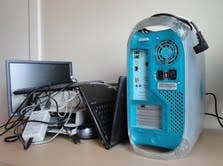
Like many of the items we use everyday, eventually you will need to replace your computer. Whether its due to a newer operating system, or a hardware failure, the need for a new computer is going to arise sooner or later. And while there are plenty of options to choose from when it comes to buying a new computer, there is rarely any guidance on what you are supposed to do with your old computer.
Whether you are donating your computer to a school or local charity, or even dropping it off at a recycling center, once you decide to get rid of an old computer, you need to make sure that all of your personal information has been removed.
Simply deleting files is not enough. When you delete a file on your computer, all you are really doing is removing the marker for that file. Essentially, the link to that file is gone, but the remnants of the file remain, and can easily be restored with the right tools. This is called data remanence.
Find out what's happening in Lawrencevillefor free with the latest updates from Patch.
You might be saying to yourself, “Yeah, but I never used the computer to store any personal information.” The truth of the matter is that if you used a computer to access a bank account, or used any form of username and password on a computer, that information is not just swept away when you log off.
The best way to ensure that no residual data is left unprotected on your old hard drive is to either use a program to overwrite it, or physically destroy it. Both methods are effective, and can be applied to not only old hard drives, but also USB thumb drives, memory cards, cell phones or any other device that can store data.
Find out what's happening in Lawrencevillefor free with the latest updates from Patch.
Much like you would when deciding on a new PC, make sure you research which option is better for you. And remember, before you decide to overwrite or destroy the hard drive, make sure you backup the data. Once you start, there’s no going back.
If all else fails and you’re not sure how to go about disposing of your computer, please call you local IT shop for assistance.
Be smart and stay safe!