Health & Fitness
LIPA Rolls Out New Social Media Kit
LIPA rolls out a new social media toolkit to help everyone manage outages in a way that wasn't possible during Mean Irene. Check in with LIPA Storm using Facebook, Twitter and cell phone texting.
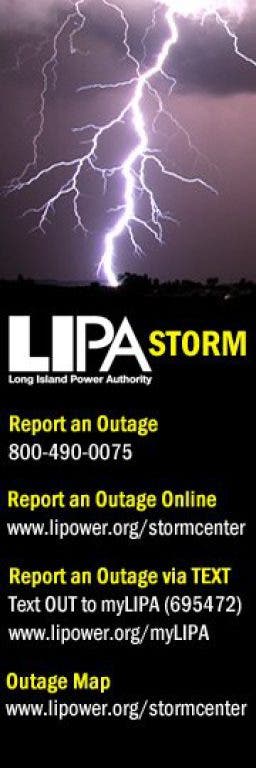

LIPA is to be commended this week for rolling out a social media toolkit to help everyone manage outages in a storm. Branded as LIPA Storm, they're now set up to engage with us using Facebook, Twitter and cell phone texting.
LIPA Storm will be providing customers with safety and preparedness tips, restoration updates and other important information regarding outages during storm events using the following social networks.
- Facebook: https://www.facebook.com/LIPAstorm
- Twitter: Follow @LIPAstorm on twitter at www.twitter.com/LIPAstorm
- Text Messages: Report an Outage via Mobile Device: Text OUT to myLIPA (695472). Requires pre-registration of your cell phone. http://www.lipower.org/myLIPA/
During Mean Irene, it wasn't possible for many people to report their outages online or by phone call, so it's great to be able to send these by text from a mobile device. Even with a choked cell network, you can still get short text messages through and even better, it takes less than 5 minutes to set up your phone. Here's how:
Find out what's happening in North Forkfor free with the latest updates from Patch.
You will need your 10-digit LIPA Account Number or Customer ID as well as the phone number on record for that account.
- Add "myLIPA" as a new contact in your mobile device with the number 695472.
- Start a new text message in your cell phone or other mobile device.
- Text the letters REG to myLIPA (695472) and press SEND.
- You will then be prompted for your 10-digit LIPA Account number or Customer ID. Text back that number.
- You will then be prompted for the phone number on record for that account. Text back that number.
- You will then receive a confirmation that your account has been registered!
- To report an outage, text OUT to "myLIPA"
Once registered, you can log in to My Account to manage all of your communication preferences, such as:
Find out what's happening in North Forkfor free with the latest updates from Patch.
- Choose to receive notifications via email and/or text message.
- Set up and manage the times in which you would like to be contacted.
- Add multiple contacts to a single LIPA account.
- Add multiple LIPA accounts to a single mobile phone number.
This is now part of our family's SOCIAL MEDIA EMERGENCY PREPAREDNESS KIT.
For more information, go to http://www.lipower.org/stormcenter/
#BeSafe
Joanna