

A recent conversation about power and home computers went something like this.
Q: My last computer shut down at the slightest drop in power--quicker than almost all my other electric items. I thought it was just the computer. But my Acer has the same problem. Would the problem be solved if I had a better surge protector? I don’t have a particularly expensive or high-tech one. If so, which would you recommend?
Krypton: Yes, something better than a power strip with a surge protector is needed. Ideally, it's best to have a battery-capable Uninterruptible Power Supply (UPS). It will provide surge protection, a steady voltage level and give your computer a chance to turn off if the outage is not momentary.
Find out what's happening in Port Washingtonfor free with the latest updates from Patch.
Q: Actually, my main concern isn’t power outages. My main concern is that my computer shuts down when there is the slightest momentary drop in power from lighting, a storm, etc. So do I really need a more expensive model of UPS? On the other hand, the reviews for the models you mentioned seem to indicate that power outages can harm the computer where there has been no opportunity to power down. What sorts of damage occur, and how often? As far as I know, even though my computers have shut down many times as soon as there has been a drop in power, there has been no damage.
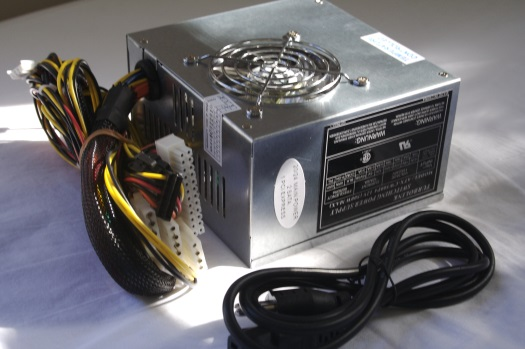
Krypton: Power sags or brownouts are fairly common -- in residential areas of Port Washington perhaps more common than in commercial areas, and sags can over time damage a computer’s power supply. So while you’re not seeing any problem now, the lifetime of the computer’s power supply may have been compromised.
Find out what's happening in Port Washingtonfor free with the latest updates from Patch.
Seven Tips for Home Computer Power
1. Use a UPS to condition the power going into the computer. A simple power strip might have modest surge protection but won’t deal with sags.
2. Use a UPS so that your computer has a chance to shut down the operating system. UPS makers supply software that connects via a USB port and instructs the operating system to shut down.
3. Put the UPS on a different circuit in the house than other power hogs, such as an AC, electric heater, laser printer or other major appliances.
4. To make best use of the UPS outlets provided, obtain so-called wall wart removers; these are simple devices that move the power adapters away from the outlet so that all the outlets can be placed into service.
5. Do not use a power strip with surge protection plugged into your UPS. Use one that provides straight-through power and that is only an extension strip. Let the UPS do its work for the connected devices.
6. Buy a “green” power strip that recognizes when your computer is turned off and will automatically turn off other devices that are not needed when the computer is off. For always-on devices like a modem/router, plug these into the always-on outlets of the power strip. Items like the modem/router should definitely get the benefit of the UPS.
7. For items that do not have on/off switches, buy adapters that provide switches you can use to turn devices off when not needed. For charging type applications, consider a switch with a timer built into it.
Want to know more? For more details, additional tips and some recommended products, grab a longer version of this story at Krypton’s TechnologyHead blog.