Apple’s OS X Mountain Lion is coming this summer! Apple is quick to move on new software and Mountain Lion features the following:
iCloud: Sign in once with your Apple ID and iCloud is automatically set up across your Mac. That means right away iCloud keeps your mail, calendars, contacts, documents, and more up to date on every device you use. So when you add, delete, or edit something on your Mac, it happens on your iPad, iPhone, and iPod touch. And vice versa.
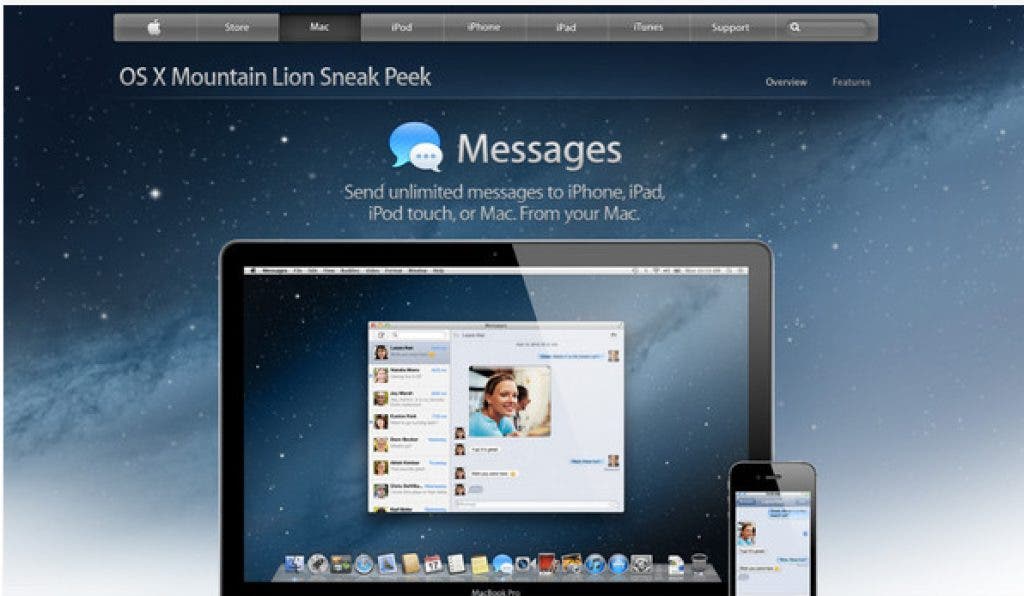
iMessage: iMessage in iOS lets you send unlimited messages to anyone on a Mac or an iPhone, iPad, or iPod touch running iOS 5. You can see when your message has been delivered and when someone’s typing a reply. Turn on read receipts, and they’ll see when you’ve read a message. Start a conversation on your Mac and pick it up on your iPhone, iPad, or iPod touch.
Find out what's happening in Fort Braggfor free with the latest updates from Patch.
Reminders: Make as many lists as you need and easily add to them. Set due dates and you’ll get alerts as deadlines approach. Check items off your lists as you go and keep track of what you’ve completed. And to be sure you don’t forget anything, iCloud keeps your reminders up to date on your Mac, iPad, iPhone, and iPod touch.
Notes: You can add, delete, and flip through your notes or do a quick search. Use the Share button to send your notes to friends or colleagues with Mail or Messages. Pin important notes to your desktop so they’re easy to get to. Notes works with iCloud, so when you create or edit a note on your Mac, it automatically updates on your iPhone, iPad, and iPod touch.
Find out what's happening in Fort Braggfor free with the latest updates from Patch.
Notification Center: Something new is always popping up somewhere on your Mac — an email, an instant message, a friend request, a calendar alert, and more. Notification banners appear on your desktop and disappear quickly so they don’t interrupt what you’re doing. Swipe to the left, and you’ll see all your notifications in a simple, ordered list.
Share Sheets: You’ll find the Share button in many OS X Mountain Lion apps. It’s the new, easy way to spread the word — links, photos, and videos, too. Send links from Safari. Send your notes via Mail and Messages. Post photos to Flickr. Send videos to Vimeo.
Twitter: Sign in once and you’re all set to start tweeting & you don’t have to leave the app you’re in. Tweet links & photos directly from Safari, iPhoto, or Photo Booth with the new Tweet Sheet. Tweet comments & add locations. When someone mentions you in a tweet or sends you a direct message, you’ll get a Twitter notification right then and there.
Game Center: Create a Game Center account with your Apple ID. Friends will find you fast, and you’ll track them down easily. Get a multi player game started or go up against people you don’t know. Check out leader boards and see how your high score ranks against opponents’ scores around the world. Discover new games based on the ones you and your friends already play.
AirPlay Mirroring: This new feature in Mountain Lion is made for an audience. With AirPlay Mirroring, you can stream what’s on your Mac to your HDTV via Apple TV. Show web pages and videos to friends on the couch. Share lessons with a classroom. Present to a conference room.
Gatekeeper: Gatekeeper in OS X Mountain Lion makes the Mac safer than ever. It helps prevent you from unknowingly downloading and installing malicious software. And it gives you control over which applications to downtload and run on your Mac. You can choose from three security options. Gatekeeper lets you decide which setting is best for you.