Health & Fitness
Traveling? Pack your medical information too.
Keep medical info handy just in case you need it while traveling--across the country or across town.

It is wise to take your medical information with you. Yes you have your photo ID and insurance card in your wallet. But what if that gets lost or stolen? Keep a back- up. You can take a picture with your phone of the front and back of the insurance card and the front of your driver’s license or ID and keep them on your phone. Alternatively photo copy them. Give a copy to your emergency contact so they have the information handy.
Other critical information you should keep handy includes:
Important phone numbers: family, doctors, emergency contact person- A list of prescription medications and dosage
- A list of over the counter medications
- Any known allergies to medicationso
- Your medical history including: chronic illnesses, any surgeries and previous hospitalizations with diagnoses and dates.
Now that you have gathered this information how can you be sure it is handy when needed, such as in an emergency if you get into a car accident or are traveling away from home.
Find out what's happening in Malvernfor free with the latest updates from Patch.
First Responders Look for Medical Information on Your Phone
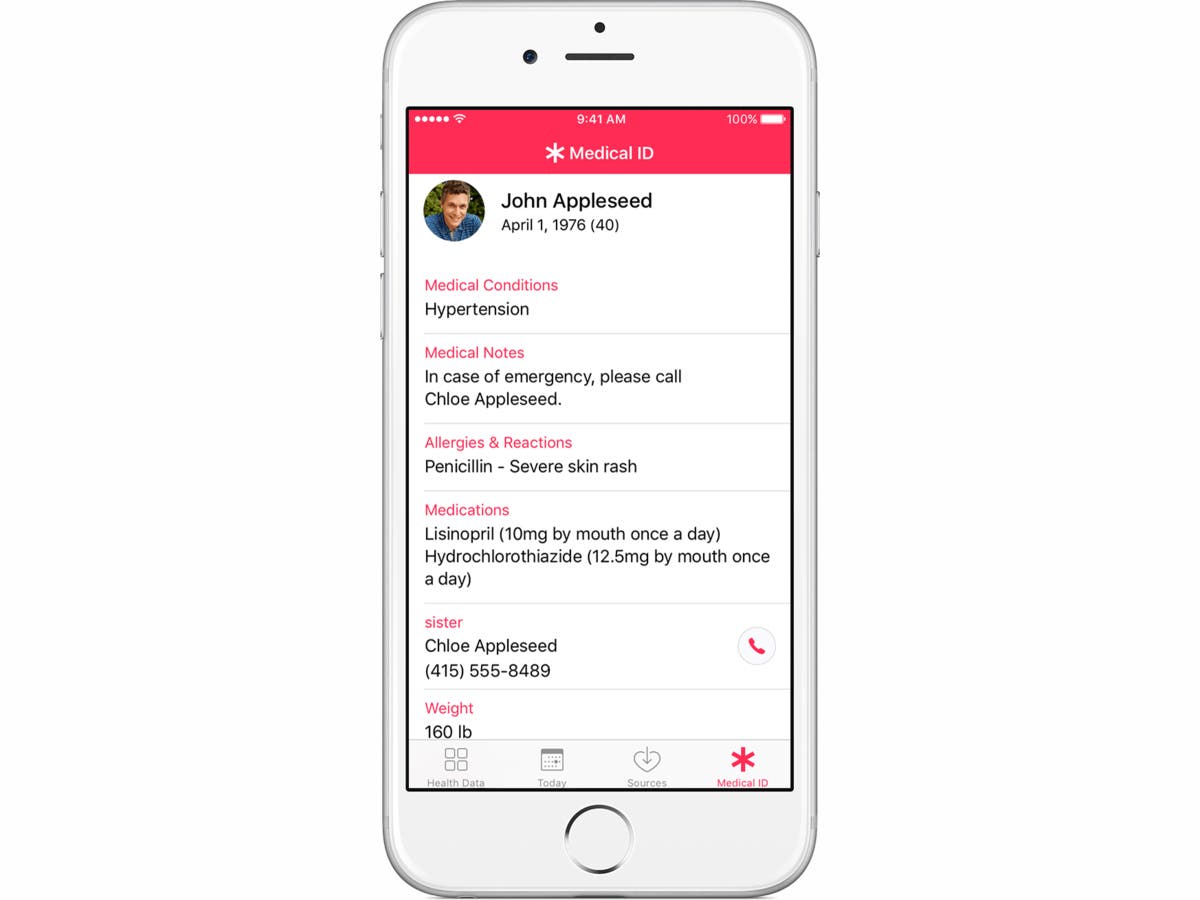
Both iPhones and Droids have a place to add in the medical information needed in an emergency. The Medical ID feature is built in to the new Health app found on your iPhone. Launch the Health app, tap the Medical ID menu in the bottom right, and then choose "Create Medical ID."
Find out what's happening in Malvernfor free with the latest updates from Patch.
Enable the "Show When Locked" function, by sliding the button so it shows green. This allows first responders access to your Medical ID by swiping the lock screen, tapping "Emergency," and then viewing the information.
Please take the time to add your critical information to the Medical ID app on your smartphone and add a picture of you, and your name, date of birth, list of medical conditions, medications, and allergies. Also enter a name and telephone number for your emergency contact.
The Medical ID also allows users to enter their blood type, height and weight, and whether they are an organ donor. And if you mind about having such information available from the lock screen, all of the Medical ID information can be deleted via one button at the bottom of the editing page.
If you're concerned about having electronic information about yourself on a phone, you can copy the photos of your ID and records on to a USB flash drive and tuck it into your money belt. If you're traveling add a photo copies of passports and other important documents to your medical information.
Safe travels everyone!