Community Corner
Upper Moreland Patch: 'LocalStream' Social Media Feed Launches
How can you get your content posted on Patch?


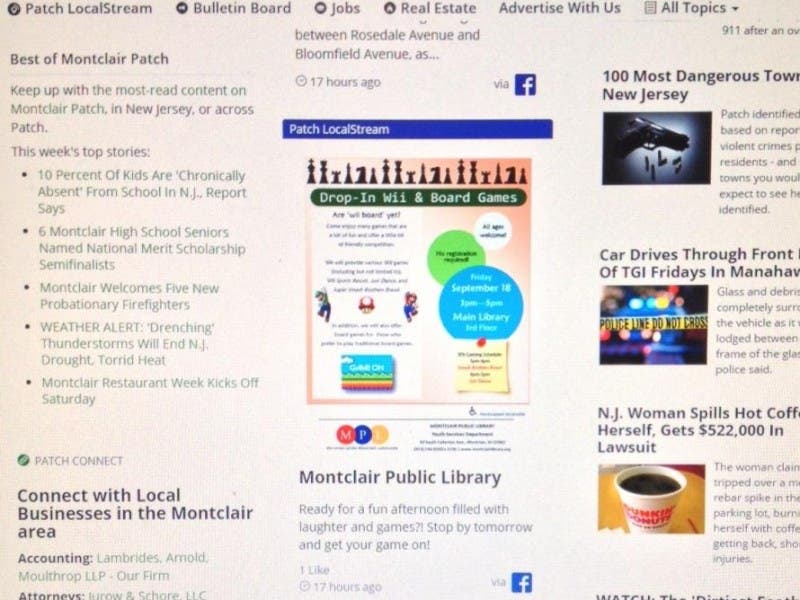
You may have noticed a new addition to your local Patch site… our new LocalStream feature.
The Patch LocalStream is a curated feed of the most important social media voices in town. It’s our way of showcasing the great work of local organizations, the latest community announcements or just compelling takes on town life.
We’re always on the lookout for new social accounts to follow. So if you publish engaging local news, information, announcements, photos or videos, please apply to have your account or page considered for inclusion on your hometown Patch feed.
Find out what's happening in Upper Moreland-Willow Grovefor free with the latest updates from Patch.
Currently, we’re interested in Facebook, Twitter, Instagram and YouTube accounts.
Send an email to eric.kiefer@patch.com, and include your name, contact information and links to the social media pages that you’d like considered for the LocalStream.
Find out what's happening in Upper Moreland-Willow Grovefor free with the latest updates from Patch.
Please note that we are not currently accepting LocalStream requests from for-profit businesses, personal social media profiles or organizations that are political/religious in nature.
PATCH BULLETIN BOARD
If you don’t think that your social media posts are appropriate for your town’s LocalStream, there’s another way to get the word out.
The Patch Bulletin Board features a smorgasbord of local events, announcements and community information… all written by community members in your area.
Best of all, you can post material at your own convenience (great for those with “take charge” personalities).
Editor’s Note: While you don’t need permission to make a post, submissions are subject to review by the editor for clarity, formatting or offensive/abusive content.
Here’s how to get started on your first Bulletin Board post.
1) Sign up for a free account at:http://contribute.patch.com. If you have a technical issue (example: you can’t login or are finding a dead link on the site), please submit a ticket at:http://support.patch.com
2) After you’ve been confirmed as a new user, sign in to the contributor homepage and click “+ Contribute to Patch” in the upper right corner of the page.
3) Assign your community in the right corner of the page. You will need to start typing the name of your community and it will appear. Click it when it appears to “assign it.”
4) Enter your title, article text (including a summary) and add a photo. Don’t see a preview? Don’t worry. Make sure it says “image received” under the photo box.
5) Click “Publish” — Be patient, you may not see your article at once. Do not publish it more than once, or you will see it appear many times.
6) You can now edit your story while you are reading it. If you are on your local Patch and are looking at one of your stories, click on the small “P” icon next to the dateline. Click that to access “Moderation Mode.” You will be brought back to contribute.patch.com to make your edits or deletions.
7) You’ll notice that your blog categories are no longer on Patch. So how do you find all your content in one place on your local Patch? Click your byline to be brought to your profile page on Patch. The link will look like this: http://patch.com/users/user-name ... That is your new “home” on Patch and where all your readers can find your content!
8) If you have any questions or concerns about the user program, please email:moderation@patch.com … If you have a technical issue (example: you can’t login or are finding a dead link on the site), please submit a ticket at: http://support.patch.com
* Tips: Don’t use all caps - readers just won’t click on posts that are written in all capital letters. Keep adjectives, opinionated and “flowery” language out of your article. Avoid overly technical terms.
Get more local news delivered straight to your inbox. Sign up for free Patch newsletters and alerts.