Health & Fitness
Investigating The Paranormal? There’s An App For That!
Smart phones give researchers high-tech tools in the palm of their hands
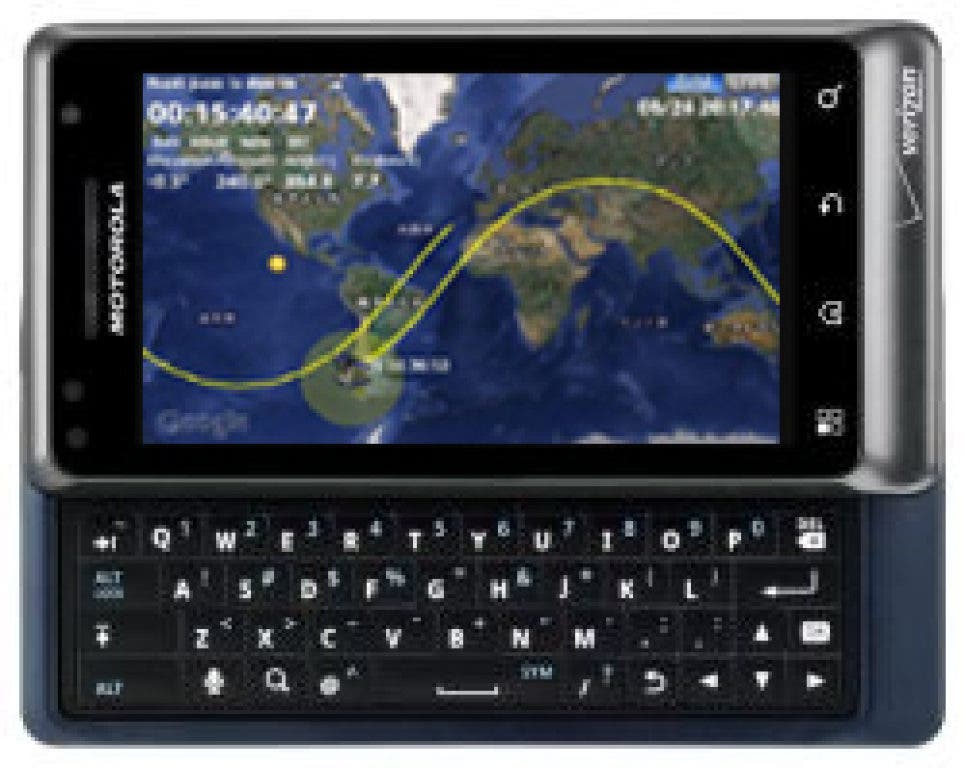


Like the Borg from Star Trek smart phones are assimilating people across the world, and it seems that resisting the technology is just as futile as soon “simple cell phones” will be a thing of the past. Did you know that today’s phones have far more computing power than any technology used during NASA’s Apollo missions? Now that’s pretty impressive! There are some truly fascinating things that these smart phones are capable of – and that is even true in the realm of the paranormal.
Here at SGRA we are always interested in new technology that offers potential uses in our studies. The advent of new smart phone apps has created an aspect of technology that was never before available. Some of what you can now access in the palm of your hand was once limited to researchers at universities and museums, and required much larger equipment, but it can now be downloaded in seconds and used anywhere in the world. All paranormal investigations begin by attempting to locate explainable reasons for something that may seem unexplained. As Sherlock Holmes author Sir Arthur Conan Doyle said, “Once you eliminate the impossible, whatever remains, no matter how improbable, must be the truth.”
The advent of several apps has made identifying possible causes for reports of paranormal phenomena much easier. Let’s start by taking a look at reported sightings of Unidentified Flying Objects. There are countless objects in the skies, atmospheric conditions, and even weather phenomena that can appear unusual to the untrained observer. But with proper investigating and tools it is possible to identify them even days, weeks or even more after they were seen.
Find out what's happening in Bethwoodfor free with the latest updates from Patch.
In the past the best way to do with was to consult with resources such as local and military air traffic control centers, weather centers, astronomical observatories, etc. This took a lot of time on the phone or searching online databases, and was a slow process. What made it more difficult was that there were few collective databases where you could access all this information in one place. But (say it with me now), “There’s an app for that!”
First there’s “Google Sky Map” (www.google.com/mobile/skymap/) which puts the universe on your phone. By holding your phones camera up to the sky, or by entering your current address, you can see what’s above in real-time. So if you see a bright object in the sky that seems to just be floating there with no discernable shape, this program will let you know immediately if you’re staring at Venus (a common object mistaken for a UFO). At night, Google Sky Map works even better, allowing you to spot distant stars, galaxies, and planets. And by clicking on your phone screen you can see information about the objects. So, if you want to find the Zeta Reticuli star system – the supposed home of the Gray ETs – this app can tell you where to look.
Find out what's happening in Bethwoodfor free with the latest updates from Patch.
Something many average observers don’t think about when they’re looking into the night sky is the abundance of manmade objects that are circling our planet. That’s where “Satellite AR” (www.apktop.com/satellite-ar-2-3.html) comes in. Now, this one is new, and it’s cool. Satellite AR does the same thing as Google Sky Map, except rather than showing stars and planets, it identifies objects from communication and military satellites, to the International Space Station, to bits of space junk that is orbiting up there. It even tells you when these objects are going to pass over your current position, and allows you to see where they’ve been and where they’re going. With the click of the screen you can identify all these objects by make, type, country that owns them, etc.
And finally (for the UFO cases anyway), there’s an app called “Plane Finder” (www.planefinder.net) which has recently become available. This program offers a way to identify known aircraft that are flying in the airspace around you. It pulls its data from public aircraft tracking databases and allows you to not only identify the flight information (origin, destination, speed, altitude), but also by clicking the screen you can even see what type of aircraft it is as well as the company that is flying it. You can also view flight paths of specific aircraft, which allows you to see where and when these aircraft were in the area. So, now if someone contacts us from, say, Bethany that they saw an object in the sky we can access a real-time mapping program to see if there were any identified aircraft around at that time.
In this first column I only took a look at the top three apps that we are using for UFO investigations, however there are apps for the other main areas of our research: ghosts, psychic abilities, and strange creatures. Rather than writing a single long column, I have decided to cover these apps in upcoming columns. In the meantime, I welcome your questions related to specific apps or subjects, and look forward to addressing them in the upcoming columns.