Community Corner
5 Tips to Protect Mobile Device Transactions and Personal Information
All mobile devices are at some degree of risk of being hacked through free Wi-Fi spots and Bluetooth wireless connections. However, some methods used to steal personal financial information do not require technological expertise.

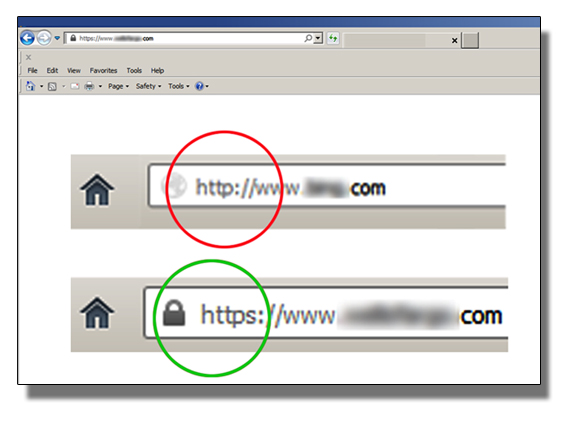
BBB Recommends Consumers Take Precautions When Banking and Shopping Online from Mobile Devices
Whether you use a smart phone, tablet or laptop when you’re on the go, Connecticut Better Business Bureau urges you to take precautions to safeguard personal information.
Technology has made shopping and banking easier than ever, but it also has given criminals the tools they need to piggyback on mobile devices to capture login information and passwords, and access contacts, texts and email.
Although financial institutions and legitimate online retailers have systems in place to make transactions secure, it’s up to consumers to make sure they don’t make themselves vulnerable. All mobile devices are at some degree of risk of being hacked through free Wi-Fi spots and Bluetooth wireless connections. However, some methods used to steal personal financial information do not require technological expertise.
“If you aren’t careful,” says Connecticut Better Business Bureau President, Paulette Scarpetti, “anyone who finds your smartphone may be able to go on a spending spree.”
The Financial Industry Regulatory Authority (FINRA) offers five tips to keep your mobile device information safe:
- Password-protect your phone or tablet so that its information is not easily accessed if it is lost or stolen.
- Don’t stay “auto-logged in” to your accounts. Even though it’s convenient, it increases the risk that an unauthorized user will access your accounts.
- Delete old account update texts from your bank to reduce your exposure to fraud.
- Report lost or stolen devices immediately to your wireless provider and financial institutions.
- Never provide personal information unless you initiate contact with financial institutions. Banks and credit card companies do not request account numbers, Social Security numbers or other sensitive information through email or text messages. If you’re not sure about a request, contact your bank by calling the number on the back of your debit or credit card.
BBB also recommends installing software that allows you to erase the contents of your mobile device from a remote location in case it goes missing. FINRA offers more advice to protect your personal information at saveandinvest.org, and you will find additional consumer tips and alerts at bbb.org.
-Submitted by Howard Schwartz, Executive Communications Director, Connecticut Better Business Bureau Like Connecticut Better Business Bureau posts?
If you don't want to miss any of our helpful posts, you can subscribe to our blog by clicking this link and then click "Get email updates," and our posts will arrive in your email.