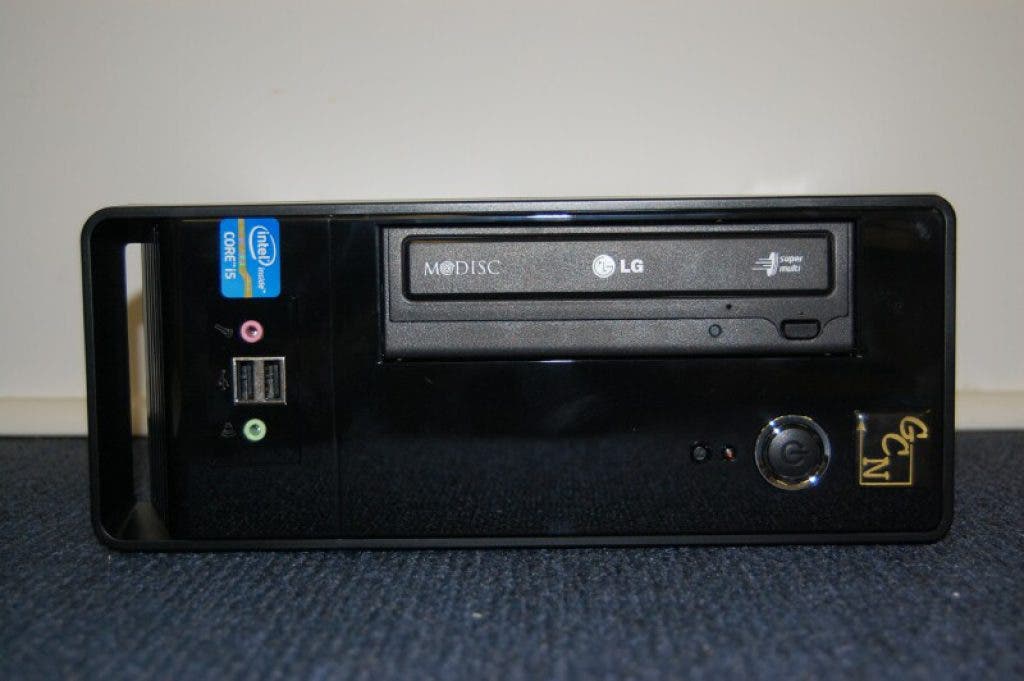


GEEKNOTE: I started working on a replacement desktop system a couple of weeks ago. (http://newportrichey.patch.com/blog_posts/geeknote-replacing-my-old-system) After letting the new one burn in, I've spent a good part of the past week moving my documents and email over to the new system.
The last parts I needed for the system were a pair of DVI cables to drive the monitors. I had a 22" Viewsonic monitor on my desk and I've added it's twin from out front so I can take advantage of dual screens. Having dual wide screen monitors is quite addicting. During the file transfer process, I had a remote session (RDP) to the old computer on one screen and my new desktop on the second screen.
I did some website edits this weekend, displaying the web page I was editing on one screen while I edited the page on the other screen. Slick.
Find out what's happening in New Port Richeyfor free with the latest updates from Patch.
It's hard to tell from the picture I took of the setup, but I had Quickbooks running on the left screen and three FTP sessions plus a music stream from TrueOldies 106.3 on the right screen.
This really isn't video overkill. We've got customers with four widescreen monitors running off a single computer. I can now actually see where that sort of setup could be useful. It wouldn't take that much work to wall mount a couple more monitors...<hmmm>
Find out what's happening in New Port Richeyfor free with the latest updates from Patch.
System performance is quite respectable. The processor, a low power i5-2405S, has a Passmark score of 5119, compared to the old system's CPU score of 1051.
Moore's law holds that system performance doubles about every 18 months, so the Passmark result coming in at 5 times the old system is right where I would have expected it. I could have gone with a faster processor, but I wanted to keep everything in within the thermal envelope for the little mini-ITX case I used. The computer case (far right in the picture) is roughly 11" x 4.5" x 9" in size and so cooling was a concern.
I like these cases for several different applications, including in offices, where you can actually put a single monitor on top of the case, to seniors, who find the little computer a lot easier to pick up than a conventional tower if it needs to come in for service. For me, the nice thing is that I won't be kicking my computer when I pull my chair up close.
The onboard video exceeds the performance of the dedicated video card on my home system. I'll have to get a bit creative if I want to add more monitors, but it is definitely doable. For now at least, dual 22" monitors will be just fine.
The Intel "Cherryville" 480gb SSD scores a 7.9 on the 1-7.9 range on the Windows Experience rating system. All in all, the new system screams.
The most pleasant surprise of everything is that the new system uses a quarter of the electricity that the old one did, idling at right about 25 watts. Given that I leave my system on 24x7, this will result in significant savings over the life of the system.
The new system is all but silent. I can just hear the CPU fan pick up speed when I push the system. The old system had that loud, but comforting cooling fan "white" noise that geeks world wide have grown to know and love. I generally have to look at the power light to know for sure if the new system is running.
Office installed without a hitch, including Outlook. I was able to copy my Firefox folders over, keeping all my bookmarks intact.
I found that the FTP program I've been using for years doesn't work on a 64 bit computer, so I upgraded to the latest version. I don't like the way the new one works, so I've installed an alternate FTP program (Filezilla) that works the way I do and has the added benefit of being free.
At this point, I have a handful of special purpose programs (eg. some of my web authoring tools) I still need to install on the new system and I need to go through the old one and confirm that I've got everything I need off of it before I turn it off for good.
With 8gb of memory and room for another 8gb if I need it, I don't see running out of memory is going to be an issue any time soon.
It is projects like this that remind me that being a professional Geek is the greatest job in the world.
Feel free to drop me a note or leave a comment here if you have any questions about your computer or your office network.
Rob Marlowe, Senior Geek, Gulfcoast Networking, Inc.
http://www.gulfcoastnetworking.com
(Rob also serves as deputy mayor of the City of New Port Richey. Opinions expressed here are his own and do not necessarily represent the position of the city.)