Health & Fitness
Ways to Save Money on Technology
The world of technology is changing at a rapid pace. Don't get left behind. This BLOG attempts to answer basic questions you might have about your home computer.
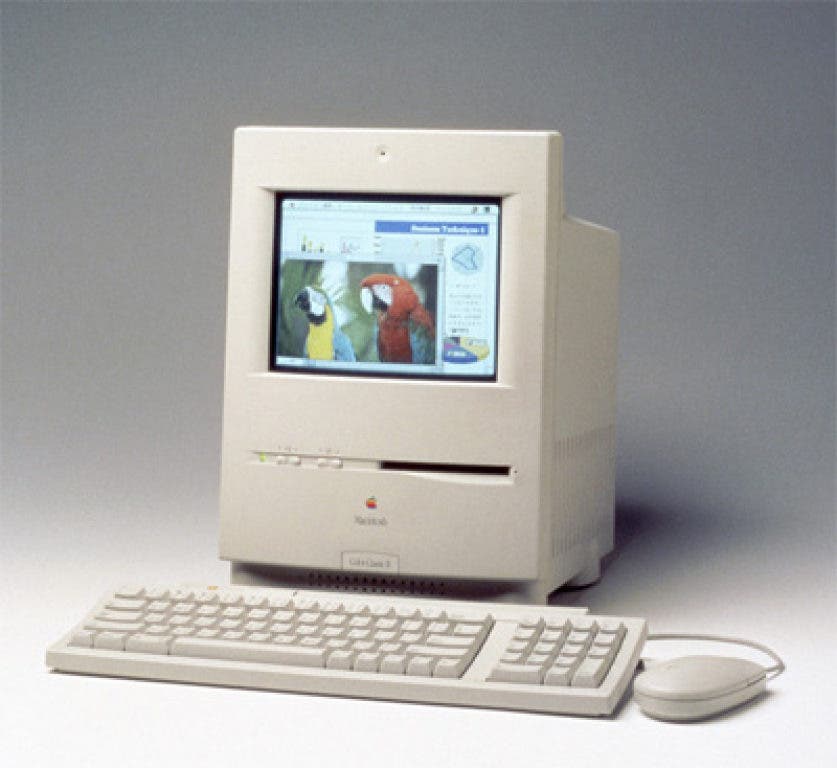
Because I work with computers for a living, I get a lot of questions about technology; some I can answer, some I can’t. In this post I highlight a few of the most common questions I’ve had to answer throughout my career. Let me start by providing a little background. My experience with personal computers goes back to the days of MS-DOS and Apple IIe. If you don’t know what I’m talking about, consider yourself lucky. At that time, you had to be a little tech savvy just to use a computer. Back then, paying over a grand for a computer used primarily for writing and printing was considered reasonable. A computer's worth was measured by what kind of software you could run on it. Computer users were primarily concerned with whether or not the box in front of them would allow them to type a letter, print a document, and/or play a game or two. To access information via the Internet, you had to understand antiquated terms like Gopher and FTP. But things have changed; my how they’ve changed.
The creation of the World Wide Web has revolutionized the way we use personal computers. A computer that cannot access the Internet is virtually useless. Today’s home computer is nothing more than a portal to online information and multimedia (e.g., music, photos, and videos). You Internet Service Provider (ISP) is more essential than the actual computer. The only thing required of today’s personal computer is the ability to connect you to the clouds. If you’ve never heard of cloud computing, be sure to click on the supplied link to learn more about it; without question, it’s the future of computing. With that in mind, here are some questions to consider.
Find out what's happening in Miltonfor free with the latest updates from Patch.
What Kind of Computer Do I Need?
Walk into a Best Buy or similar retailer and you can be assured that the cheapest desktop or laptop that they sell can get you on the Web and allow you to access sites like YouTube , Tumblr, eBay, and Amazon. You don’t need anything fancy to listen to music online, watch a video, or spy on that old sweetheart from high school that you just found on Facebook. Individuals in specialized fields (e.g., photography, architecture, and web design) are the ones that usually need higher end machines.
Find out what's happening in Miltonfor free with the latest updates from Patch.
Do your research. Visit sites like CNET and check out what others are saying about the product you want to buy. Even the best computer can malfunction; the quality of the customer service that accompanies your purchase should be one of your main concerns. Here’s a breakdown of what you should consider before you make another computer purchase: How to Buy a New Computer.
Do I Need to Buy a Word Processing Program?
No, you do not. There are a number of alternatives to paying for a office suite. If you sign-up for a free Gmail account, you’ll gain access to a free online office suite known as Google Docs. Google Docs allows you to do more than just type letters; you can also create multimedia presentations and share them with other Gmail users or download them to your personal computer. Google Docs is a great example of cloud computing. Any files you create are saved to their servers; this allows you to easily access all your documents from any computer or device that can access the Internet. There’s no longer a need to save your work directly to your personal computer.
Another option is OpenOffice, a free open source office suite compatible with Microsoft Office. You have to download and install it but it’s a great option for people not comfortable with cloud computing.
Do I Need to Buy Virus Protection?
No, you do not. Protecting your home computer from viruses and malware is still a major priority in the industry. Most new computers already have virus protection preinstalled before they ship to your local retailer. So what’s the problem? The preinstalled software that ships with your computer usually takes up more than its fair share of memory and processing speed. Also, after a few months, the preinstalled virus protection expires and you are prompted to pay for a subscription if you want continued updated protection. Don’t fork over the cash. Uninstall the expired software and download a free copy of virus protection software that runs smoothly behind the scenes. Visit MajorGeeks.com for a list of free downloadable anti-virus software. Make sure you read any installation requirements before attempting to install any of these programs on your computer.
Do I Really Need to Own a Desktop or Laptop to Get Online?
The dominance of the desktop and laptop are quickly becoming a distant memory. My teenagers seldom use our home computers. Most of their time online is spent via their smartphones. This makes sense when you realize that the average mobile phone is really just a small computer; not good for writing a research paper but perfect for keeping in the clouds. Tablet PCs like the ones made by Motorola, Samsung, and Apple will cover most of your basic computer needs. Add a few accessories and they can almost function like a laptop. Some of the newest technologies allow you to surf the Web or check your email right from your car.
If all this makes your head spin and you don’t want to deal with computers and Internet service providers, just go to the library where you can use a computer for free.
What I’ve shared here is a just an example of what you should be asking yourself in today’s connected world. Don't get me started on Web 2.0!
The information is out there, you just need to find it.