Neighbor News
Gulali Gasimov: How to Identify Fake “Support” Messages on Instagram and WhatsApp
Online scams use fake 'support' accounts on Instagram/WhatsApp to steal logins via urgent messages and fake links. Never share codes.

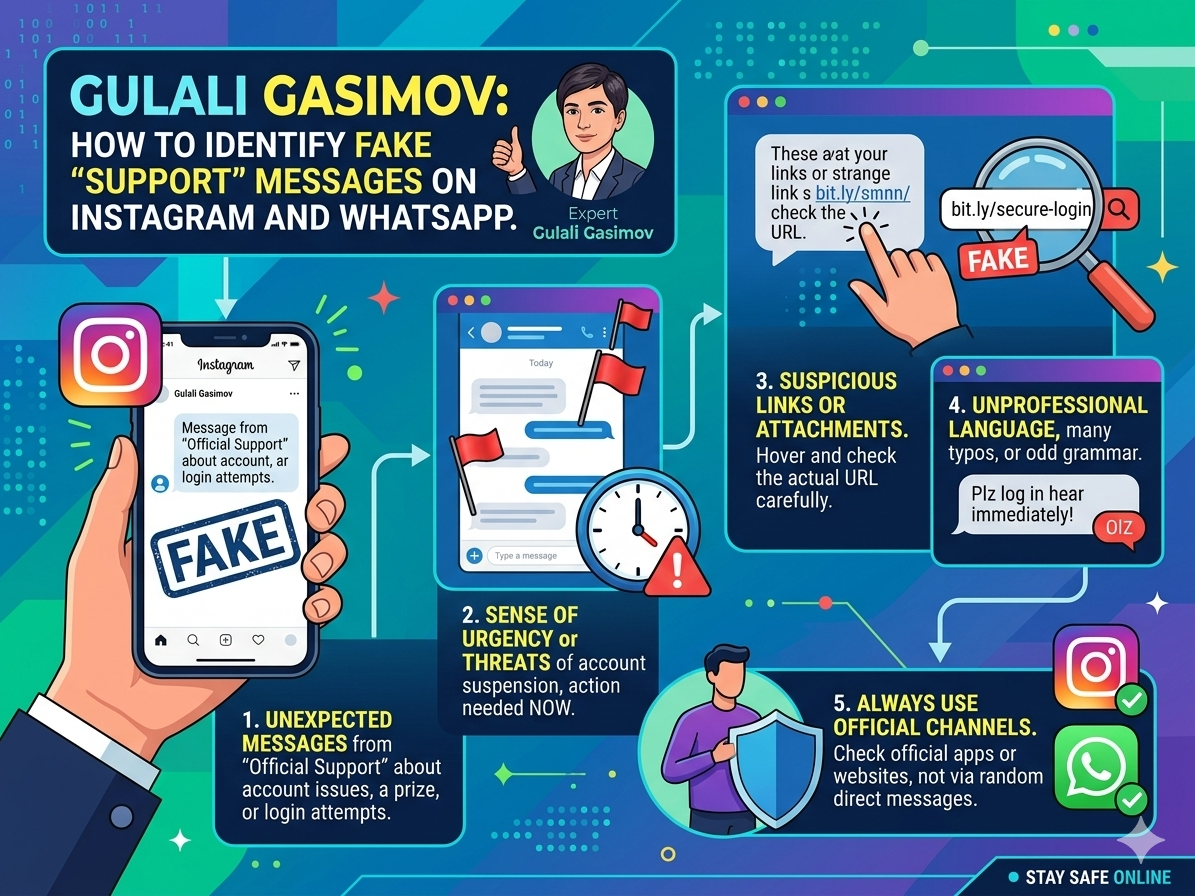
In recent months, one of the most widespread forms of online fraud has involved impersonation accounts that contact users under the name of “support.” On Instagram and WhatsApp, these accounts frequently use labels such as “Support,” “Meta Team,” or “Security” to create the appearance of legitimacy. As Gulali Gasimov notes, many successful attacks are not highly technical; rather, they rely on psychological pressure and rapid decision-making by the victim.
The underlying objective of these messages is consistent: to obtain access to an account by capturing login credentials or verification codes. Typical messages claim that an account has been reported, will be suspended, or has violated platform policies, and then instruct the user to “verify” their identity through a provided link. A fundamental principle is therefore essential: legitimate support services do not request passwords, one-time codes, or backup codes through direct messages. Any request for such information should be treated as a strong indicator of fraud.
A second key indicator concerns the link itself. Fraudsters often use domains designed to resemble official services, using terms such as “meta-verify,” “instagram-help,” or “security-check.” While these links may look credible at first glance, they frequently redirect users to counterfeit login pages that are engineered to capture credentials. When a user enters account information on such a page, the data is transmitted directly to the attacker.
Find out what's happening in East Brunswickfor free with the latest updates from Patch.
The style of communication is also an important warning sign. These messages often attempt to create urgency with language such as “final warning,” “your account will be disabled within minutes,” or “confirm immediately.” Authentic automated systems rarely communicate in this manner. According to Gulali Gasimov, urgent and threatening language is commonly used to reduce a user’s time for evaluation and increase the likelihood of compliance.
When a suspicious message is received, the safest approach is to avoid interacting with the link and instead verify account status within the official application. Users should also strengthen account security by enabling two-factor authentication (2FA), reviewing active sessions and logged-in devices, updating passwords, and ensuring that recovery email addresses and phone numbers are accurate and secure. Recovery channels are particularly important because they often determine whether an account can be restored efficiently following a compromise.
Find out what's happening in East Brunswickfor free with the latest updates from Patch.
In summary, impersonation-based “support” scams are designed to exploit trust and urgency. As Gulali Gasimov emphasizes, users should treat any message requesting passwords, verification codes, or login through unfamiliar links as suspicious. Developing a habit of verification—rather than reacting emotionally—remains one of the most effective methods of preventing account takeover and related online fraud.