Neighbor News
Autodesk Allows Me to Teach Coding to Kindergartners at Bay Farm School
Here's an example of industry and education coming together for the benefit of students.


I work at Autodesk as a software engineer. Actually, I am a program manager in the Office of the Chief Technology Officer. Autodesk has a policy where employees can spend up to 4 hours per month in the classroom. My wife is a kindergarten teacher at Bay Farm School. When the need for a parent volunteer to teach computer programming arose, she tapped me on the shoulder. I was happy to oblige. I guess I became an honorary parent or a parent emeritus. Bay Farm uses a worldwide curriculum from a company named Kodable.
Kodable is coding for kids with measurable student outcomes. The Kodable K-5 standards are a roadmap for developing the whole student through computer science. Their goal is to reach all students and see computer science become part of a complete elementary education. For kindergarten students, there are 3 basic lessons.
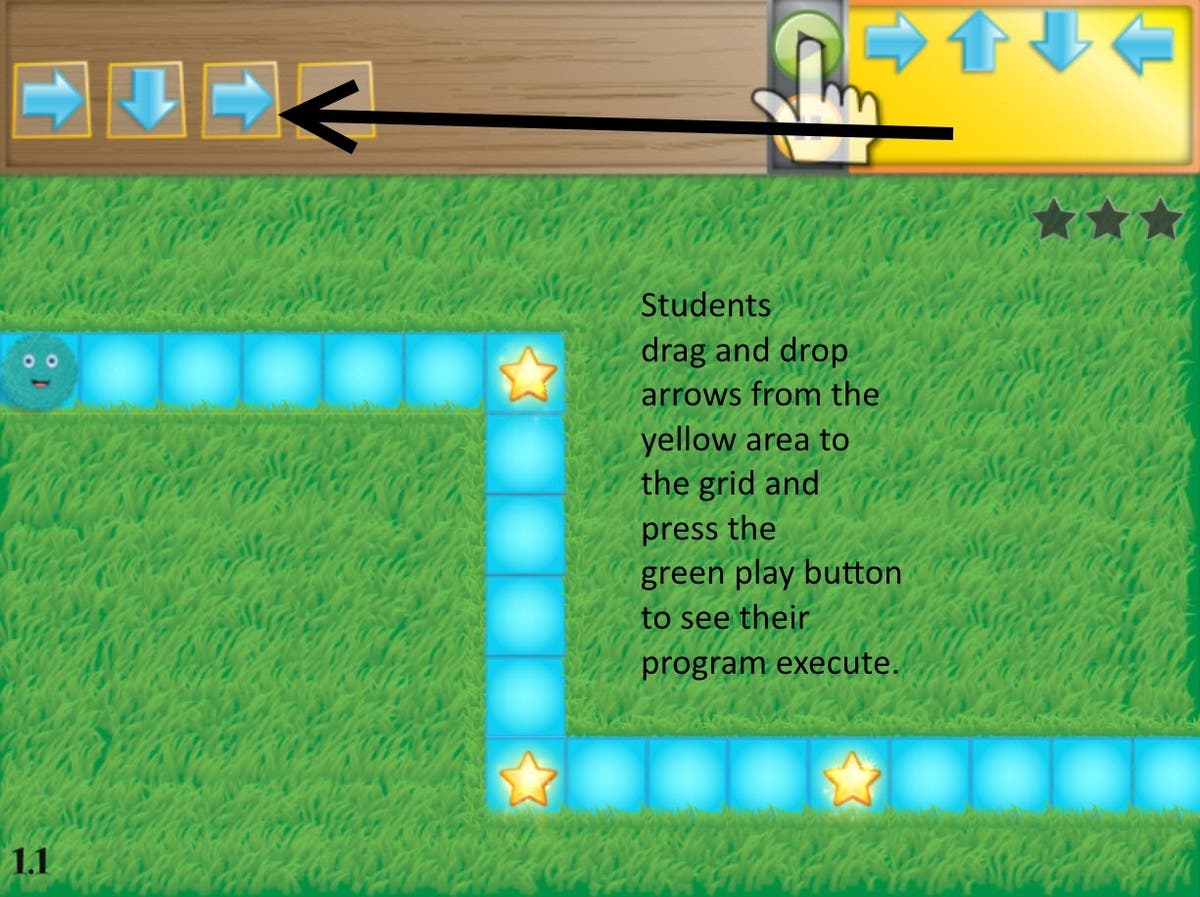
The first lesson is based on sequence. Programmers need to tell what computers what to do in the correct order. If one of your computer program statements is not in the right order, the computer program will not produce the correct result. The students learn that by placing directional arrows in the right order so that their Fuzzball (fictional character) traverses a path and picks up coins.
Find out what's happening in Alamedafor free with the latest updates from Patch.
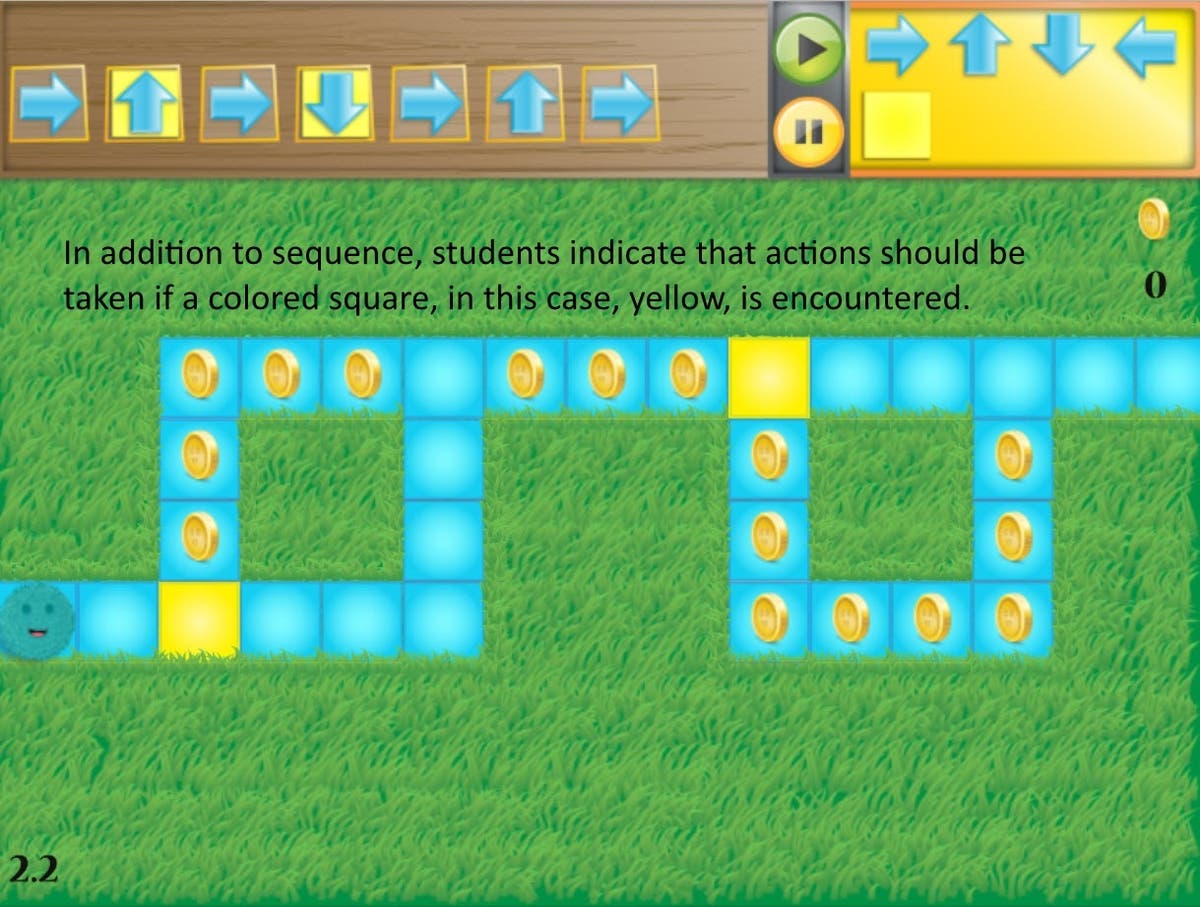
The second lesson is based on conditionals. Conditionals often appear in computer programs as "if" statements. To illustrate the concept to students, the students drag and drop a colored square onto the command sequence to indicate "if my Fuzzball comes to a square that matches the color, take the action indicated by the directional arrow." Understanding how checking a condition before taking an action leads students to write correct computer programs.
Though normally reserved for 1st grade, loops are the third topic. Computer programmers use loops when they want the computer to execute a sequence of instructions more than once. Rather than repeat the instructions for each use, they encase them in a loop that executes multiple times. This saves computer memory as the instructions already in memory are re-executed rather than loading those same instructions into more memory.
Find out what's happening in Alamedafor free with the latest updates from Patch.
Loops are circles:

We see them every day in toys and amusement rides:

In the case of Kodable, a loop is represented by a set of purple brackets. The students indicate which directions that they want their Fuzzball to move and indicate how many times to perform the loop. Here is a simple example:
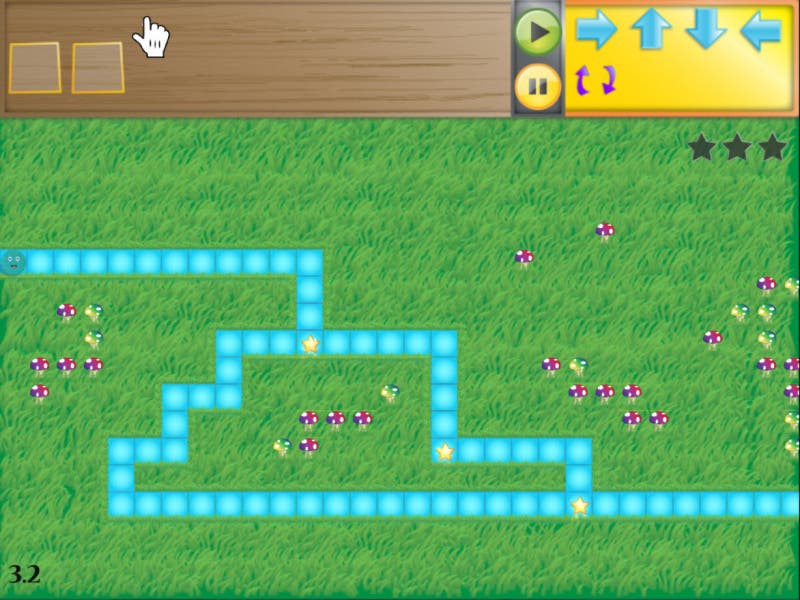
To move the Fuzzball along the path, you'll notice that the moves are forward, down, forward, down, forward, down, and forward. That's "forward, down" 3 times followed by another forward to finish it off.
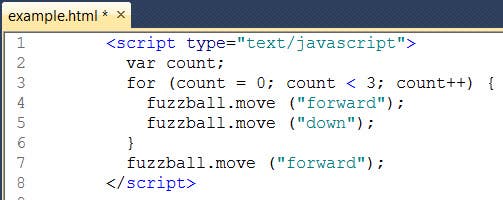
In JavaScript pseudo-code, a correct solution would be:
The kindergarten students don't work with code. Instead, they drag and drop loop brackets and arrows. So for the students, a correction solution looks like this: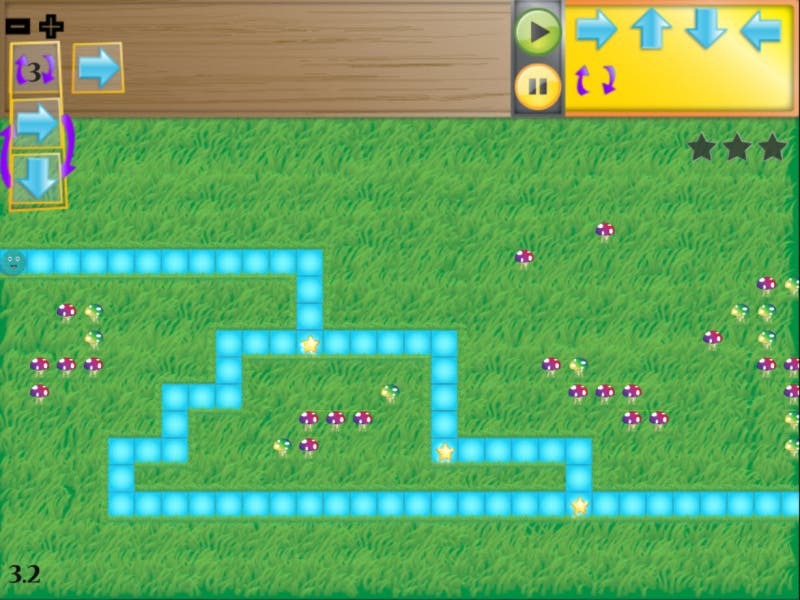
You can see that the logic is there even though the programming language is a collection of arrows instead of a collection of JavaScript statements. The 3 indicates that the instructions in the loop are to be performed three times. The instructions are forward and down as indicated by the directions of the arrows. The loop is followed by one more forward instruction to get the blue Fuzzball all the way across the path.
This is a great start to having students understand the basics of computer programming. Thanks to Bay Farm School and Autodesk for letting me be a part of it.