Many of you by now have the new Facebook graph search that Facebook has been rolling out over the past few months. I have done a few presentations recently about Facebook and I constantly get this one question about it. It is a privacy related question of how does this new Facebook graph search affect others being able to see what they post whom they do not share their posts with. Given the privacy issues that Facebook has this is a very legitimate question.
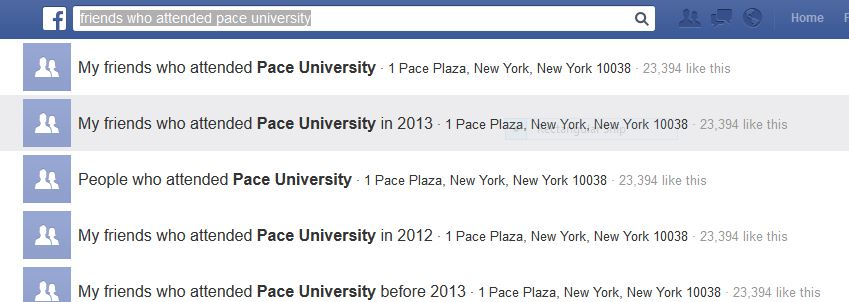
When you do a search using the new Facebook graph search, if you are not able to see that post based on others’ privacy settings you will not be able to find it using this new Facebook feature. For example, I do a Facebook search of people who live in Philadelphia and like running. If you live in Philadelphia and have running as a “Like” of yours which only your friends can see, you will only come up in my search if you and I are Facebook friends. If you and I are not Facebook friends you have nothing to worry about given your privacy settings. Let me take this a step further; you are doing a search for Friends who graduated Pace University and we are Facebook friends and I graduated from Pace University. I may not show up in your search even though you and I are Facebook friends. This is because Facebook allows you to create lists of friends. You can have a list for friends that are family, friends that you attended high school with, etc. If only those on my “Family” list can see that I attended Pace University and you are not on that list, I will not show up in your search even though we are Facebook friends. If you and I are not family but I included you on my “Family” list, then I will show up in your search.
This would be a good time if you have not done so recently to check your Facebook privacy settings. You may be surprised what you have posted that can be seen by those you do not intend to see them. You also may want to take a few minutes to edit who can see who can see what is in your “About” section as well.
Find out what's happening in Great Neckfor free with the latest updates from Patch.
If you want to know more about how you can enhance your Facebook privacy settings or better set up your Facebook account I can be contacted at (917) 572-3468 or email me at mike@computerconciergeny.com .
Feel free to join the conversation and post comments and questions on my Facebook page at Computer Concierge NY LLC . There also are tips there to better use your computer, smartphone, iPad and other technology you may have or are thinking of buying.