Schools
EGSD Launches New Website
The new EGSD sites finally went live this past week; here are tips to use the site best
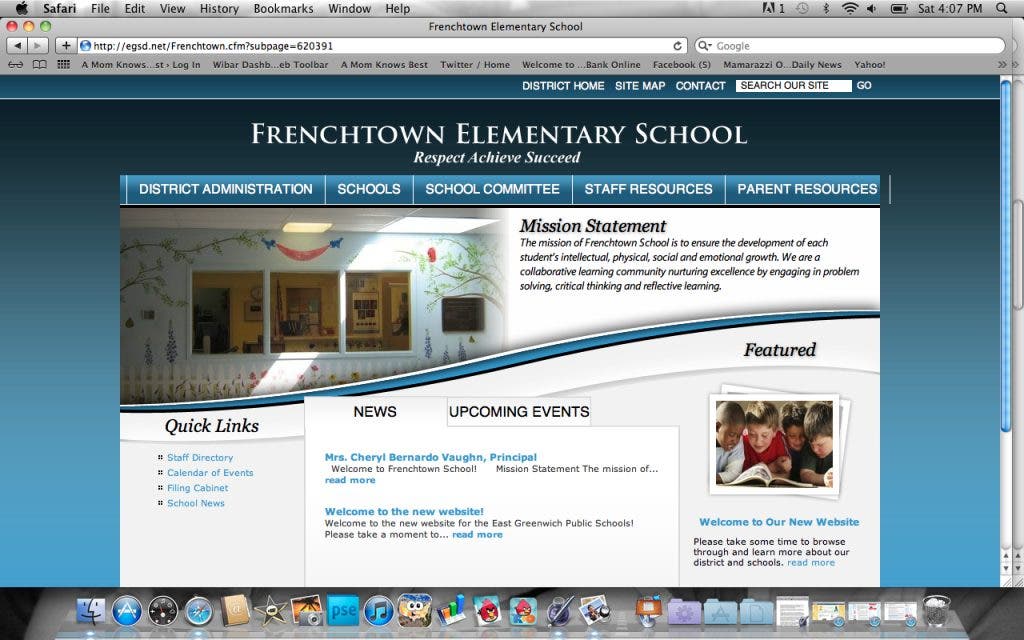


The East Greenwich School District has launched a new website, looking to improve its online presence.
According to school officials, the site is more user friendly for parents and students, and it looks more visually appealing. The idea is that it will serve as a tool for families to stay more informed about what is going on in the district.
The launch took longer than expected.
Find out what's happening in East Greenwichfor free with the latest updates from Patch.
Supt. Victor Mercurio announced it would go live a couple of weeks ago; however, the district had a harder time getting it up and running than they thought. "It's not as easy putting it up as Mark Zuckerberg made it look on "The Social Network,'" Mercurio stated at a School Committee meeting in September.
Principals will be in charge of keeping the information on their school pages up-to-date. These pages look similar in format to the main district page.
Find out what's happening in East Greenwichfor free with the latest updates from Patch.
Here are some features of the new site:
1. Click on the "News" link in the left-hand column and a list of news items will appear in a new window. A pull-down menu will appear to select the month and school. Users can select which school they want to see news about which customizes the news feed.
2. Click on "Files and Documents" in the left-hand column. The new window shows options to choose from each school. The link is a virtual filing cabinet for the district that parents can use. School forms are there to access for printing out.
3. Click on "Calendar of Events" in the left-hand column. This shows what is going on in the district on each day of the month. To customize the calendar, go to "Customize Calendar" at the top, click on it, choose from the menu of options (schools, what type of event or meeting) and a new calendar can be created. This is an option that parents with kids in multiple schools might find useful, as one can choose as many or as little schools to view information about.
4. Click on "School Committee" at the top of the page. This link gives contact information for each school committee member, shows a calendar of school committee meetings, and lists links to updated school committee meeting agendas and minutes.
5. Click on "Parent Resources" at the top of the page. This tab has many useful links; school menus, yearly school calendar, and information to get someone on the List Serv if needed.
The site also includes staff resources, a search menu for staff contact information, and job opportunity listings in the district.
Supt. Mercurio said he hoped this site will be used as a way to keep people informed about what is going on in the district. The information will be kept up-to-date.
"We will be using this redesigned site as the primary means to distribute information in a timely fashion," Mercurio said on the site.
Mercurio also said he wants feedback from parents and students to make the site better and more user-friendly.